← Back to work
Selected work

Assistant for Work

Google Assistant — Lead UX Designer, 2019–2020 · GSuite, Android

Your work day lives across Calendar, Gmail, and Maps, and none of them talk to each other. I laid the groundwork for Smart Agenda, a proactive view that does.
Animated Smart Agenda card appearing on a phone home screen, surfacing the day's proactive context
Smart Agenda, live on the home screen — proactive context surfaced before you even open an app.
The Problem

A work day with no single view

Knowing what's next in your day means checking Calendar for the meeting, Maps for the commute, and Gmail for whether the room got cancelled — three apps, no shared picture. Assistant had the data to connect all of it; nothing surfaced it proactively.

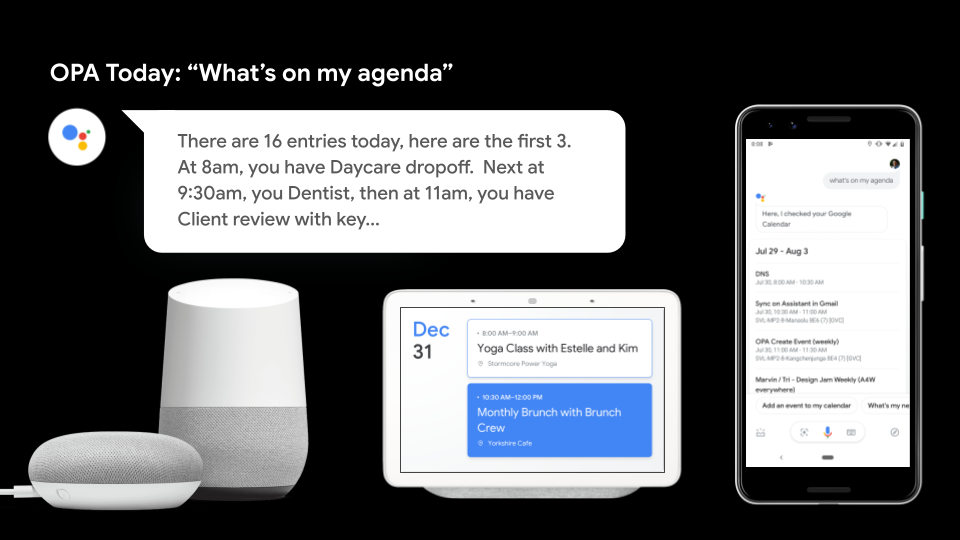
The existing Assistant agenda experience across speakers, Smart Display, and phone, showing a chronological readout of the first few calendar entries
The existing agenda experience surfaced the first few calendar entries, without prioritizing which meetings needed attention or preparation.
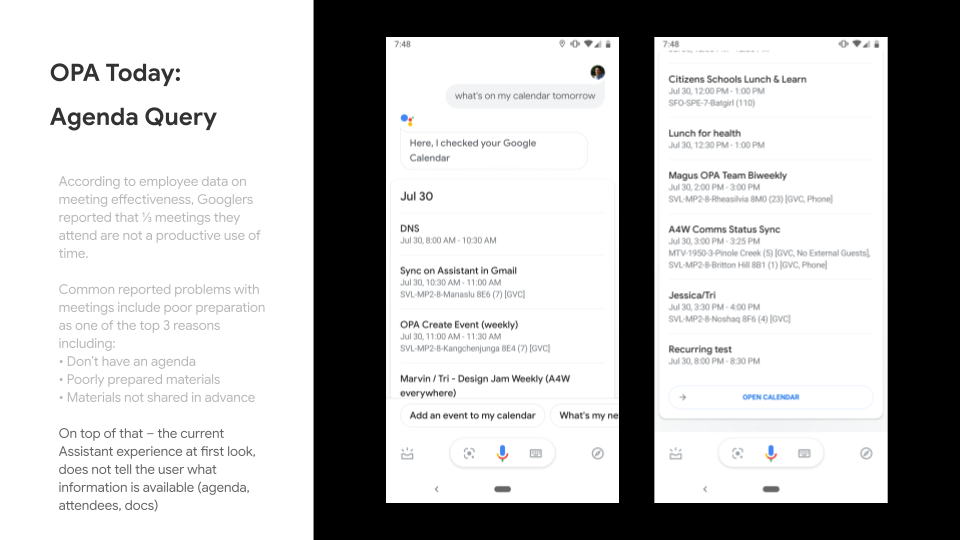
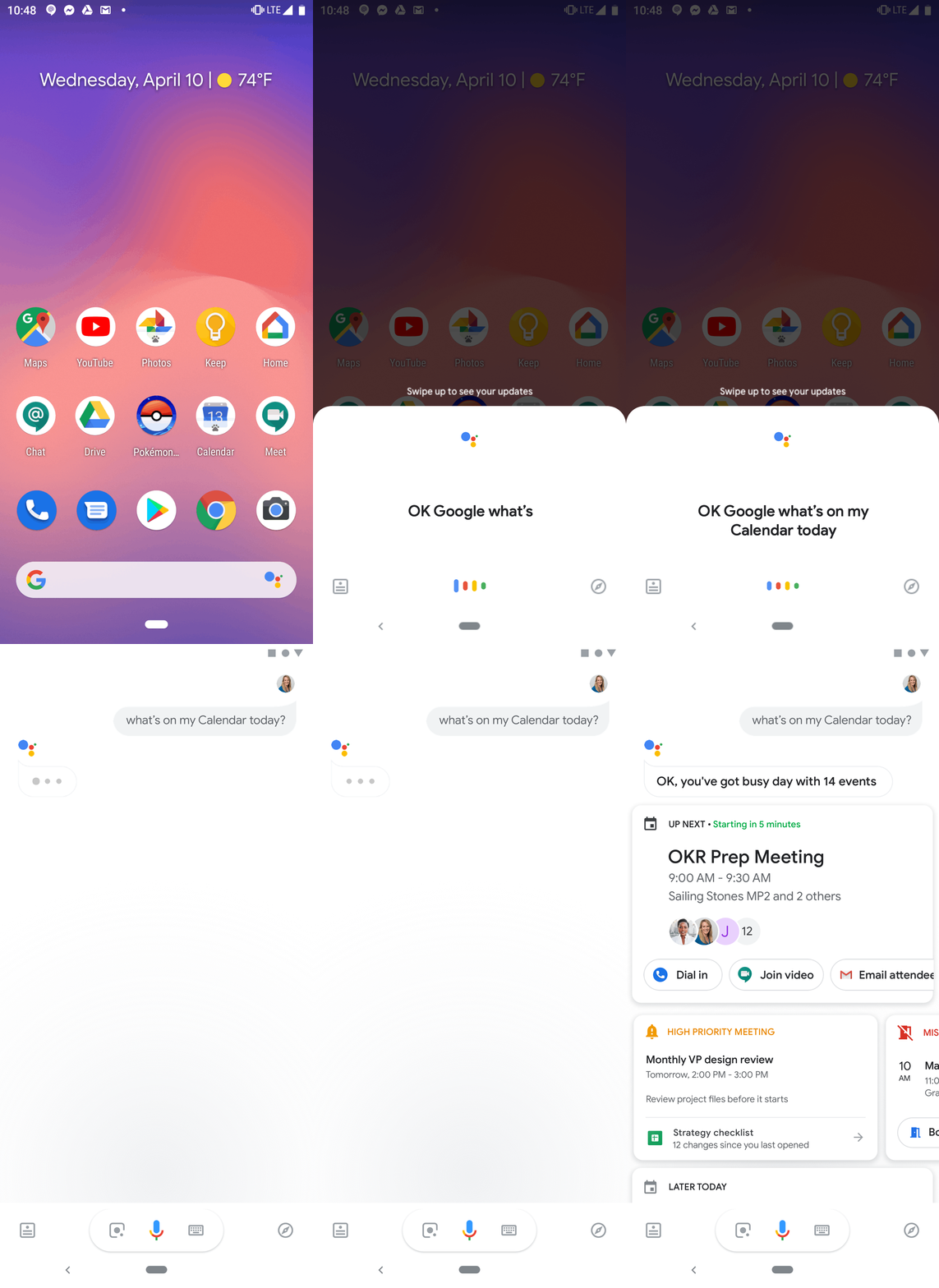
Existing Assistant agenda query showing a long calendar list without surfacing meeting agendas, attendees, or preparation documents
Agenda queries listed meetings, but did not make preparation context such as agendas, attendees, and documents immediately visible.
My Role

Leading a cross-PA initiative between Assistant and GSuite

I led design for a cross-PA initiative between Assistant and GSuite apps that let Assistant-for-Work consumers connect their work data to a growing set of enterprise actions, starting with scheduling and communication. I laid the groundwork for Smart Agenda — a personalized, intelligent calendar view highlighting what's next, what's high-priority, and what needs action.

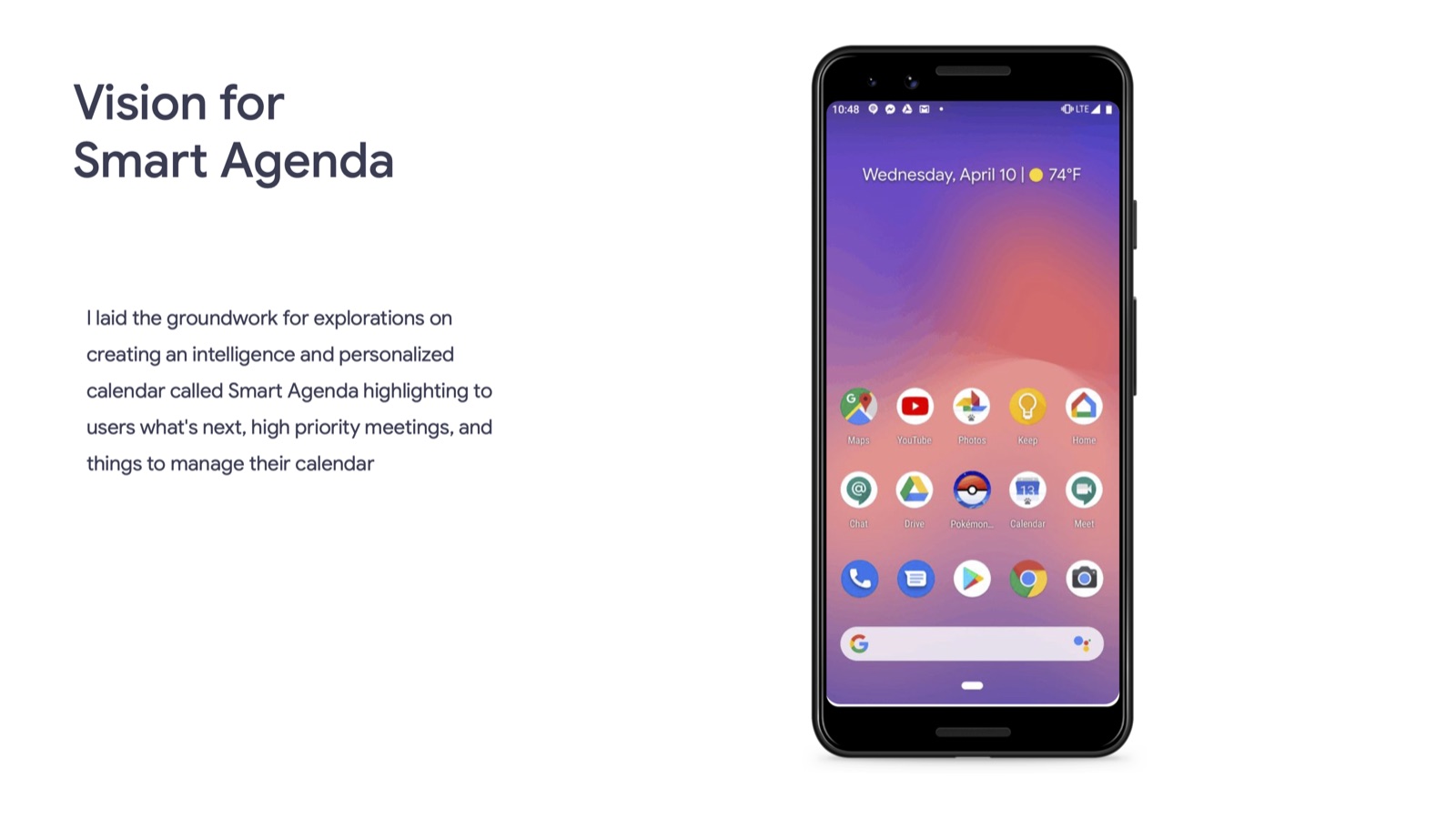
Vision framing for Smart Agenda, a personalized and intelligent calendar surfacing what's next and what needs action
The starting vision — before any UI, just the case for a proactive agenda.
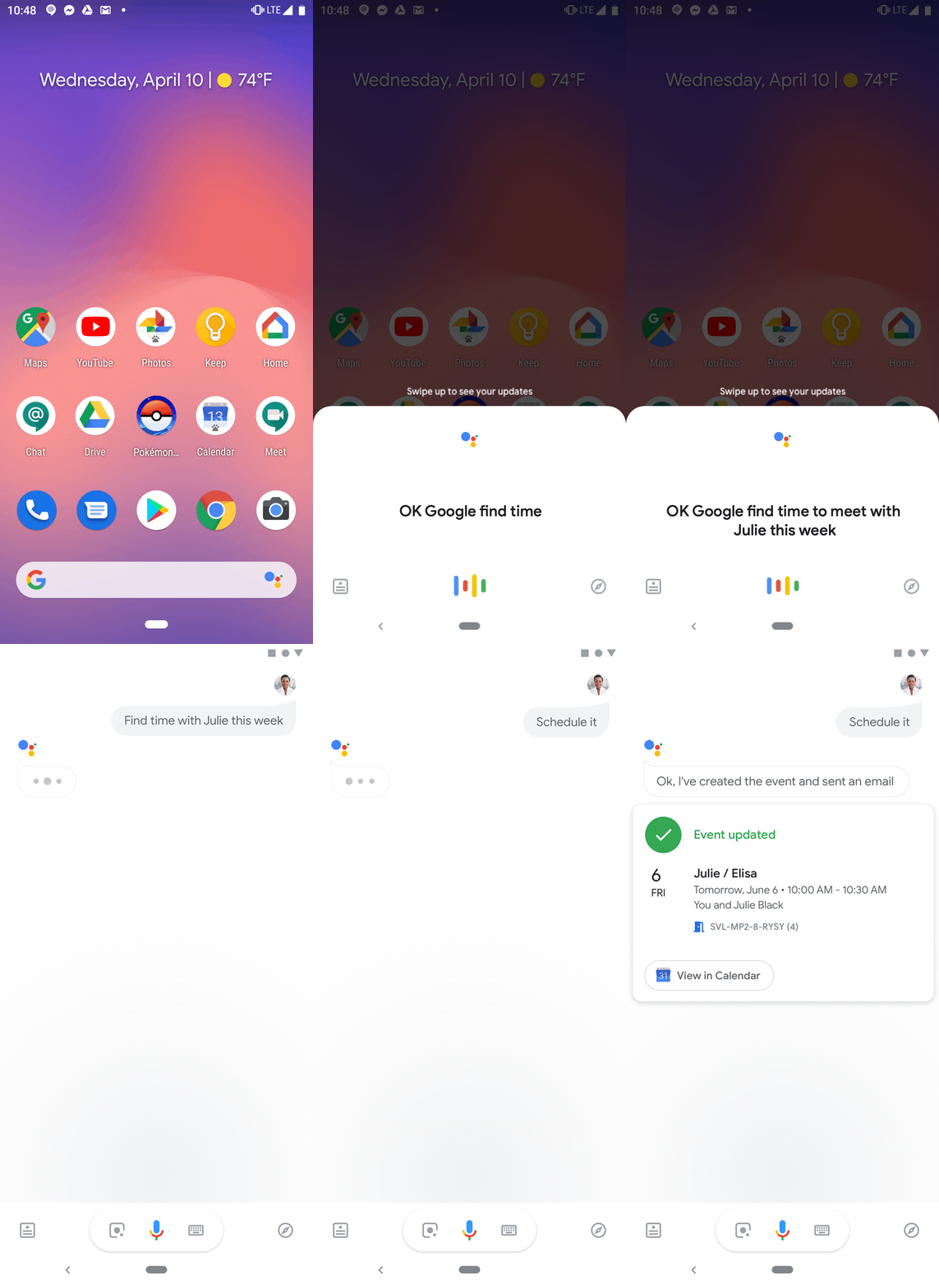
Animated scheduling flow showing Assistant proposing a meeting time using live calendar context
Scheduling with calendar context — one of the first enterprise actions this connected data unlocked.
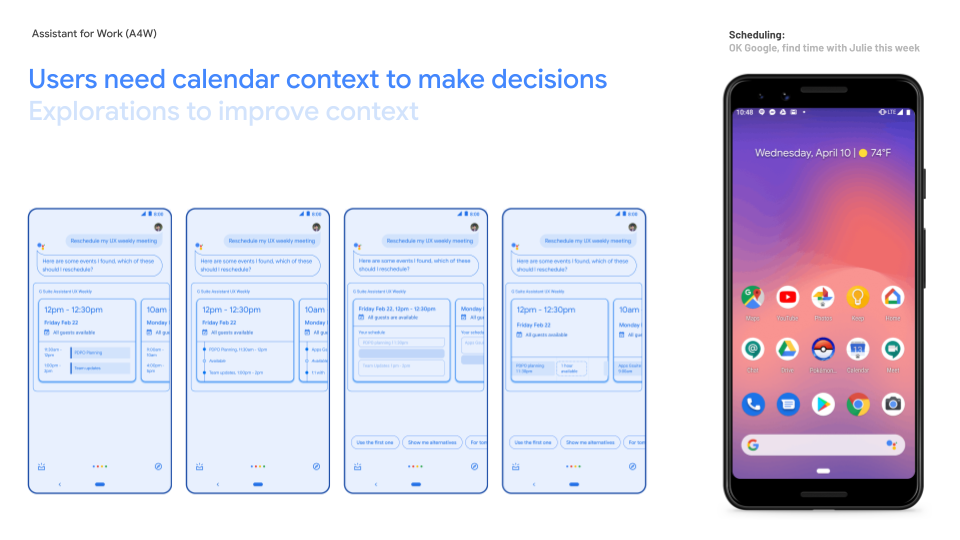
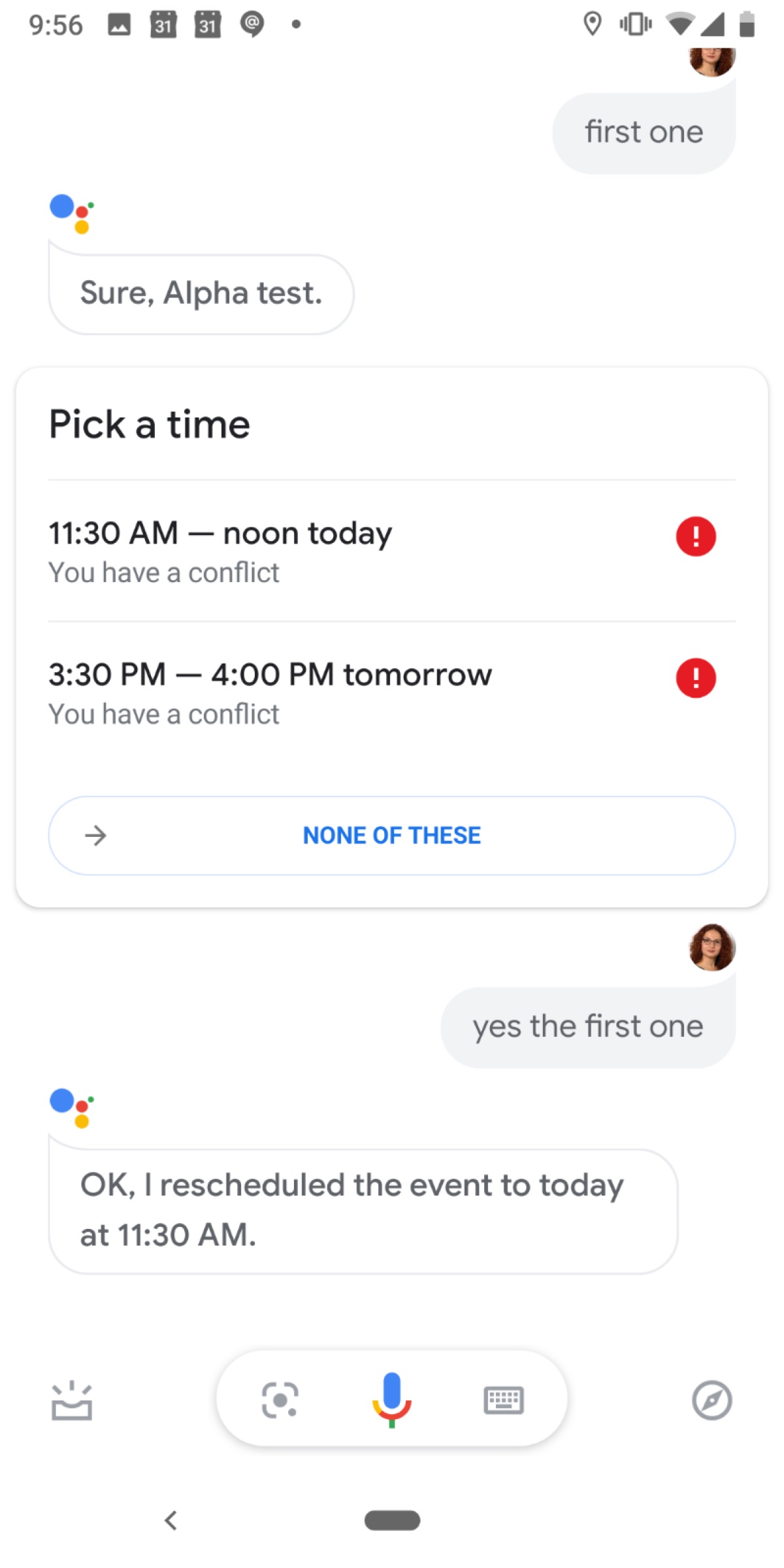
Calendar-context explorations comparing meeting cards for rescheduling, alongside an Assistant scheduling example
Explorations for making calendar context visible when users choose which meeting to reschedule.
Key Decisions

Ship the wireframe's logic, not its polish

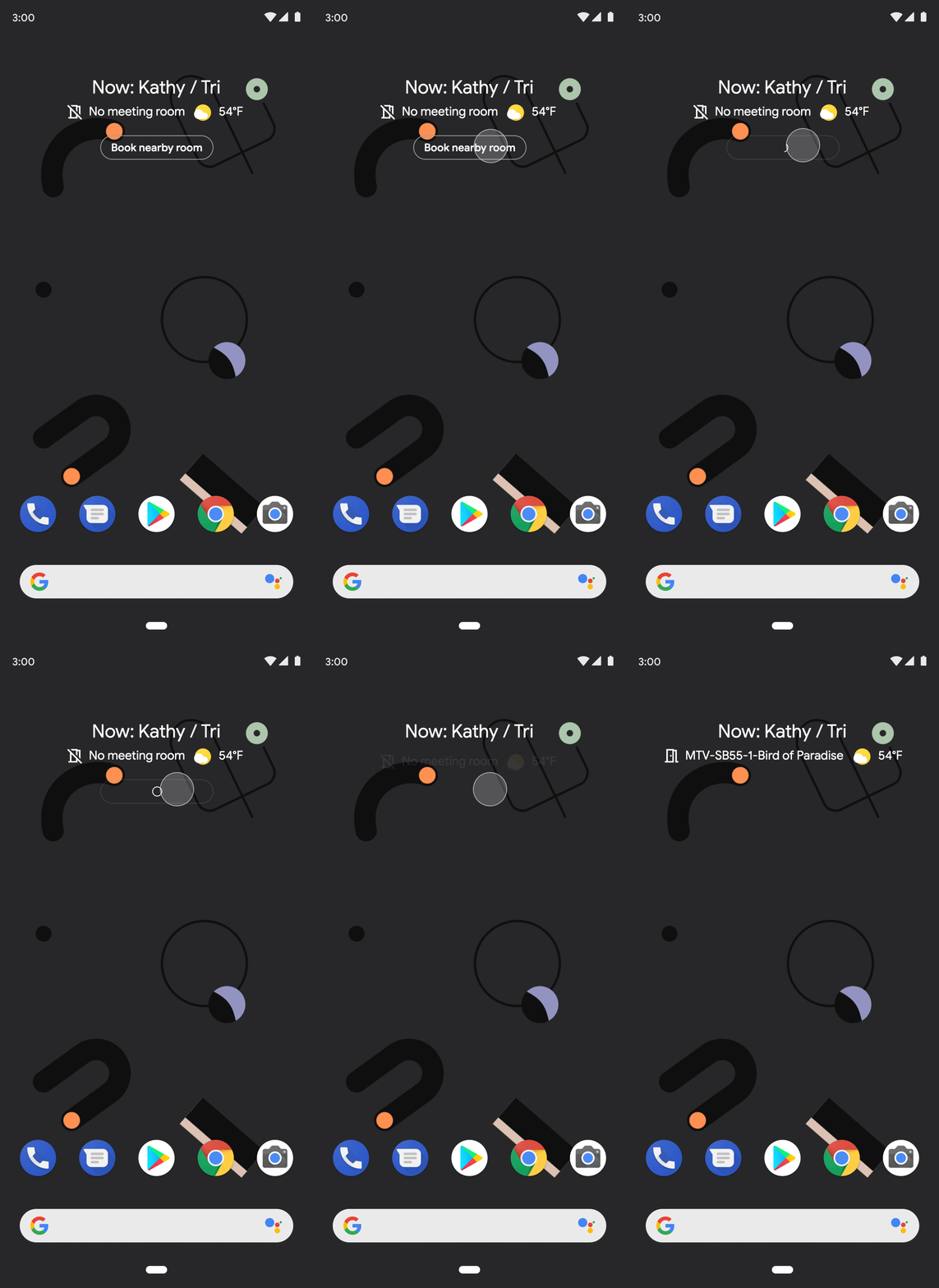
Animated Android Smart Space lock-screen widget showing proactive meeting information without unlocking the phone
Extending Smart Agenda's logic to Android Smart Space — proactive context without unlocking the phone.
Key Learnings

Three principles that came out of the research

Before: a multi-step reschedule confirmation flow requiring several back-and-forth exchanges
Before — rescheduling took several back-and-forth steps to confirm.
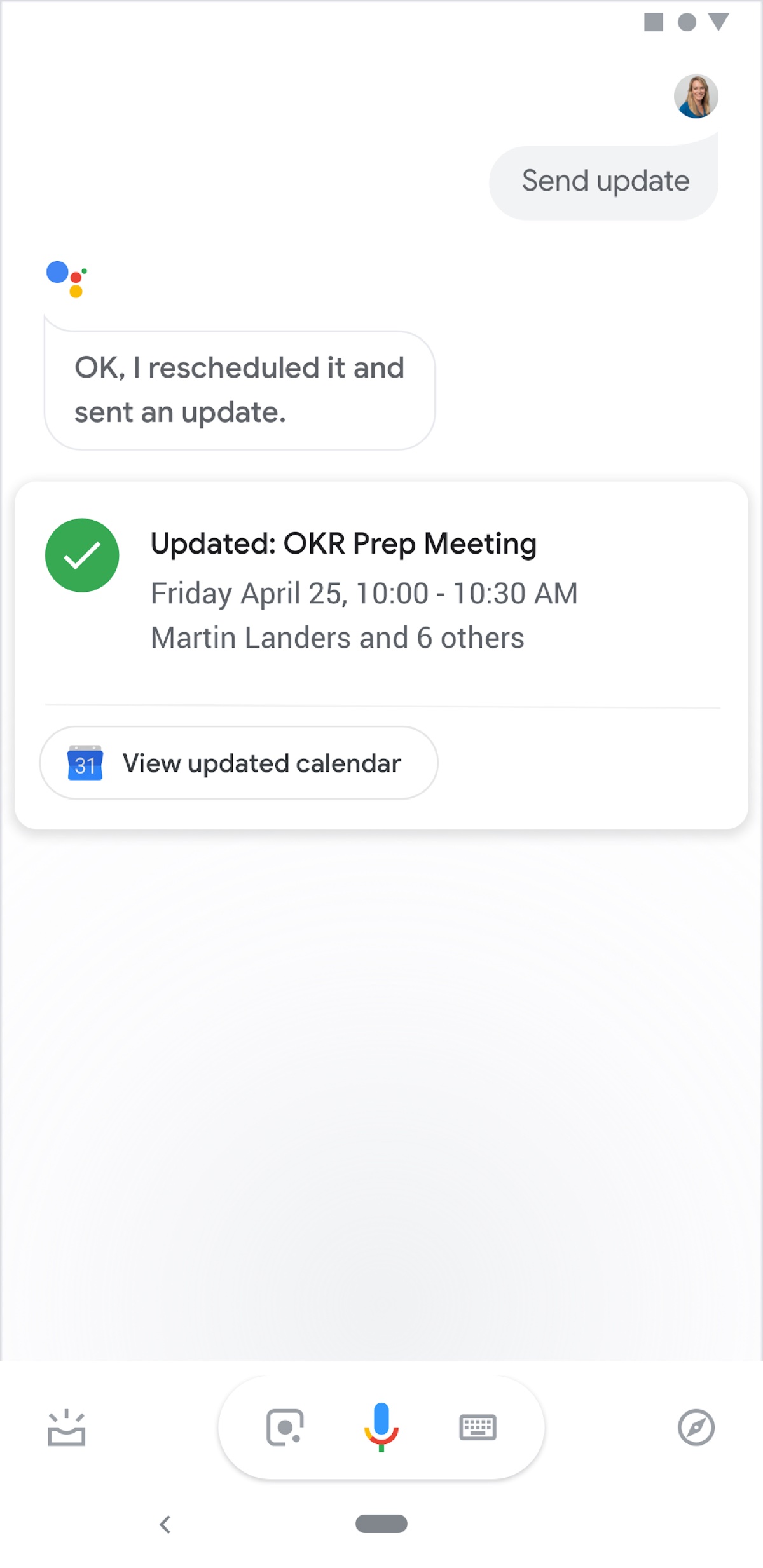
After: a single-step reschedule confirmation showing the updated meeting details directly
After — one step, with the updated meeting shown directly.
Impact

Enterprise actions built on reusable patterns

The work brought conversational assistance to enterprise productivity through scheduling and communication. Reusable confirmation, multi-account, and proactive calendar patterns connected individual actions into a broader experience.