More than a file in cloud storage
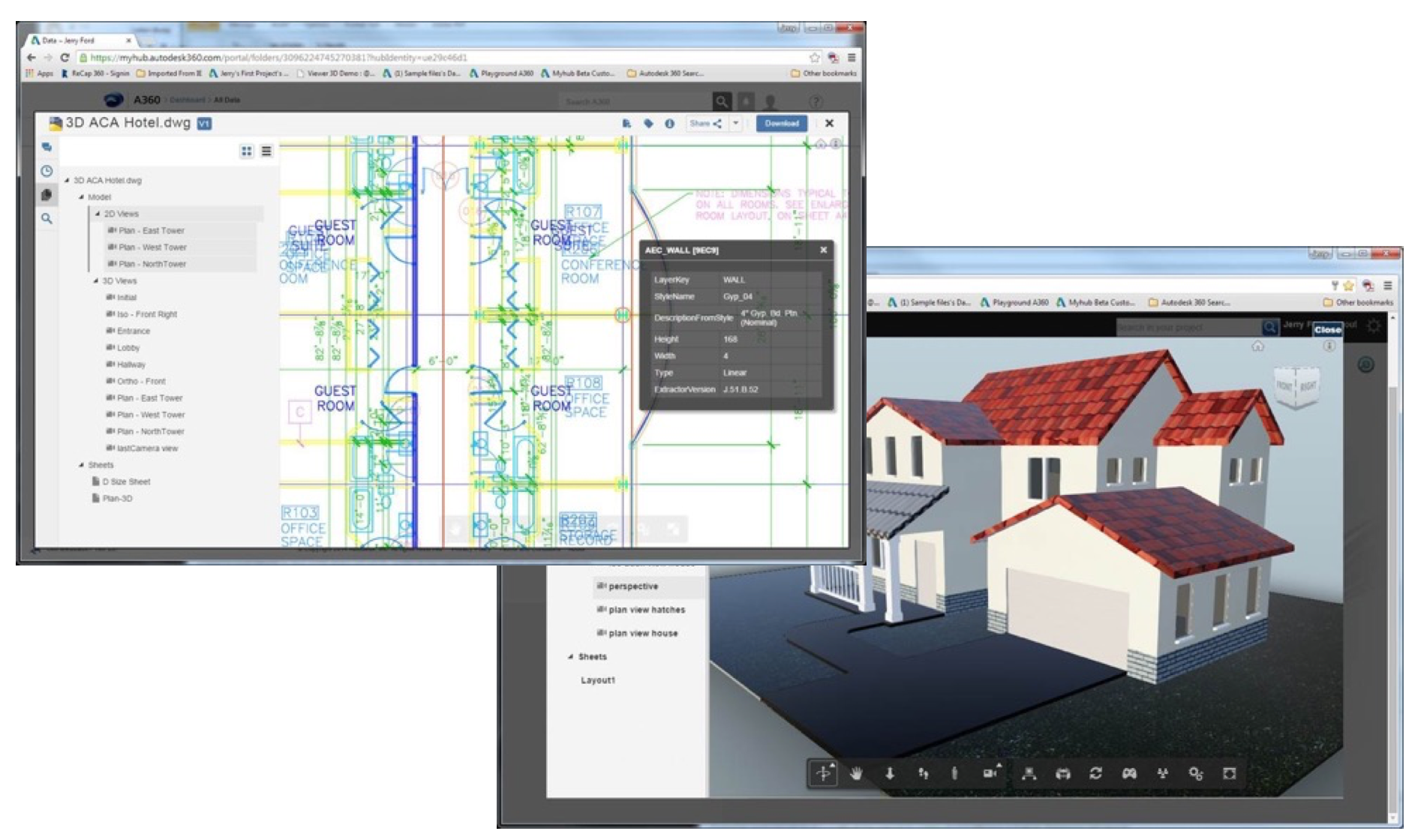
CAD projects comprise assemblies, parts, drawings, and linked files. Mechanical designers, engineers, and stakeholders needed to understand those relationships and find useful points for collaboration. A360 connected native Fusion, Inventor, Revit, and AutoCAD files with the Large Model Viewer for web-based exploration.
Leading the Item Experience across product contexts
As a member of the Cloud Platforms UX team, I led A360 Item Experience design: viewing CAD/CAM content and connecting it with collaboration. I worked alongside designers contributing to other parts of A360, built trust across product groups, and used detailed interaction concepts to support shared decisions.
Overview for context. Immersive for exploration.
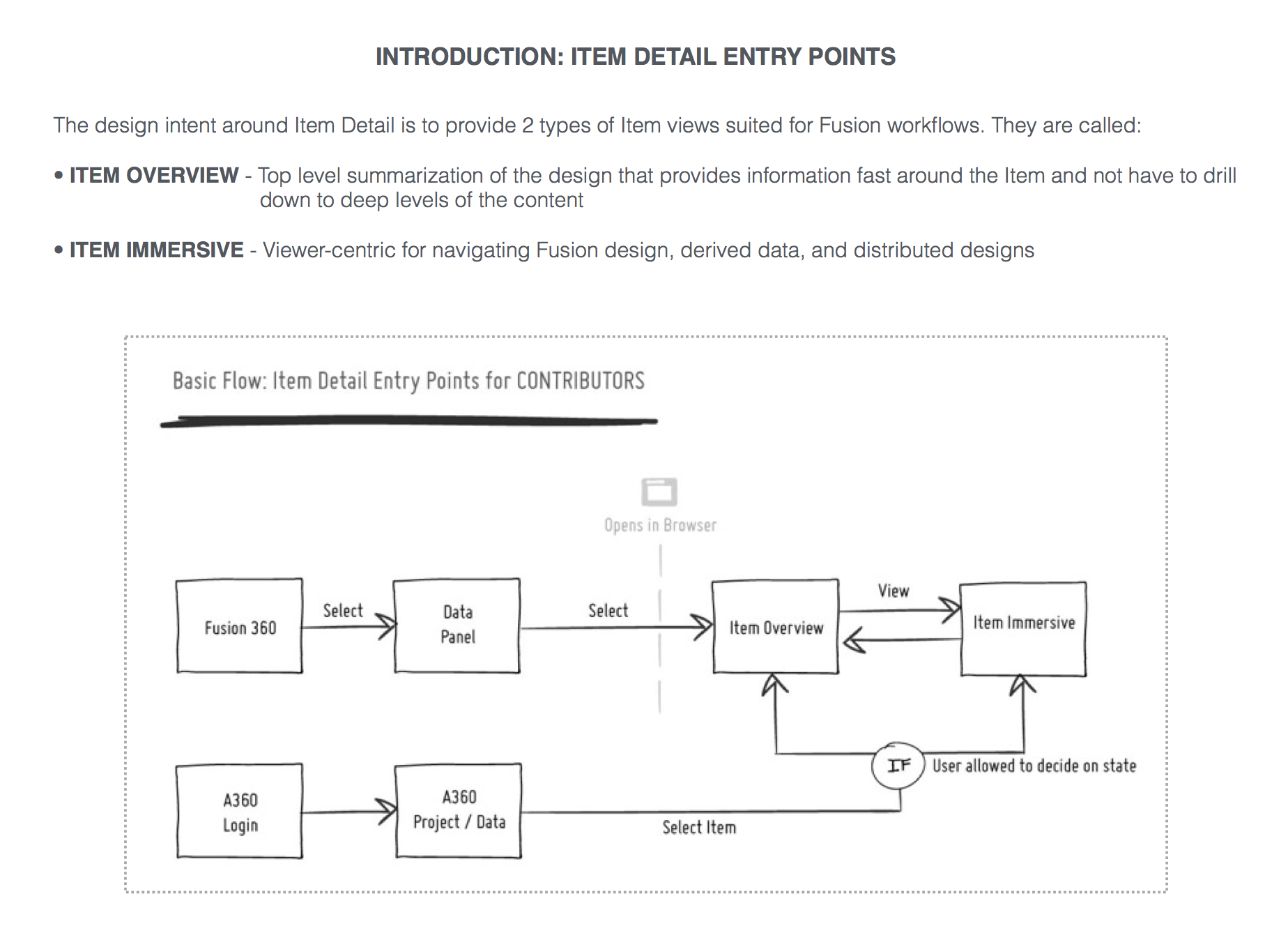
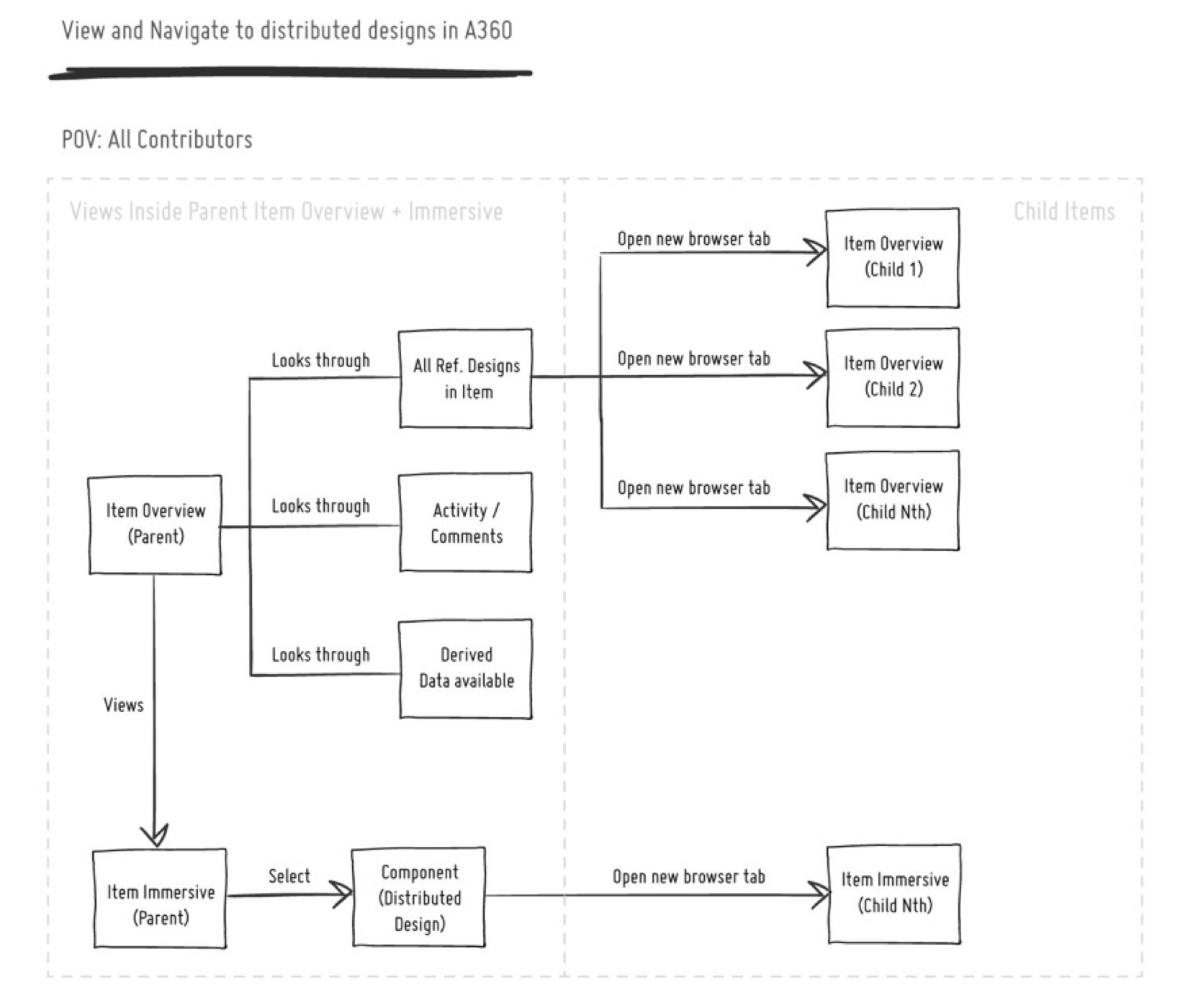
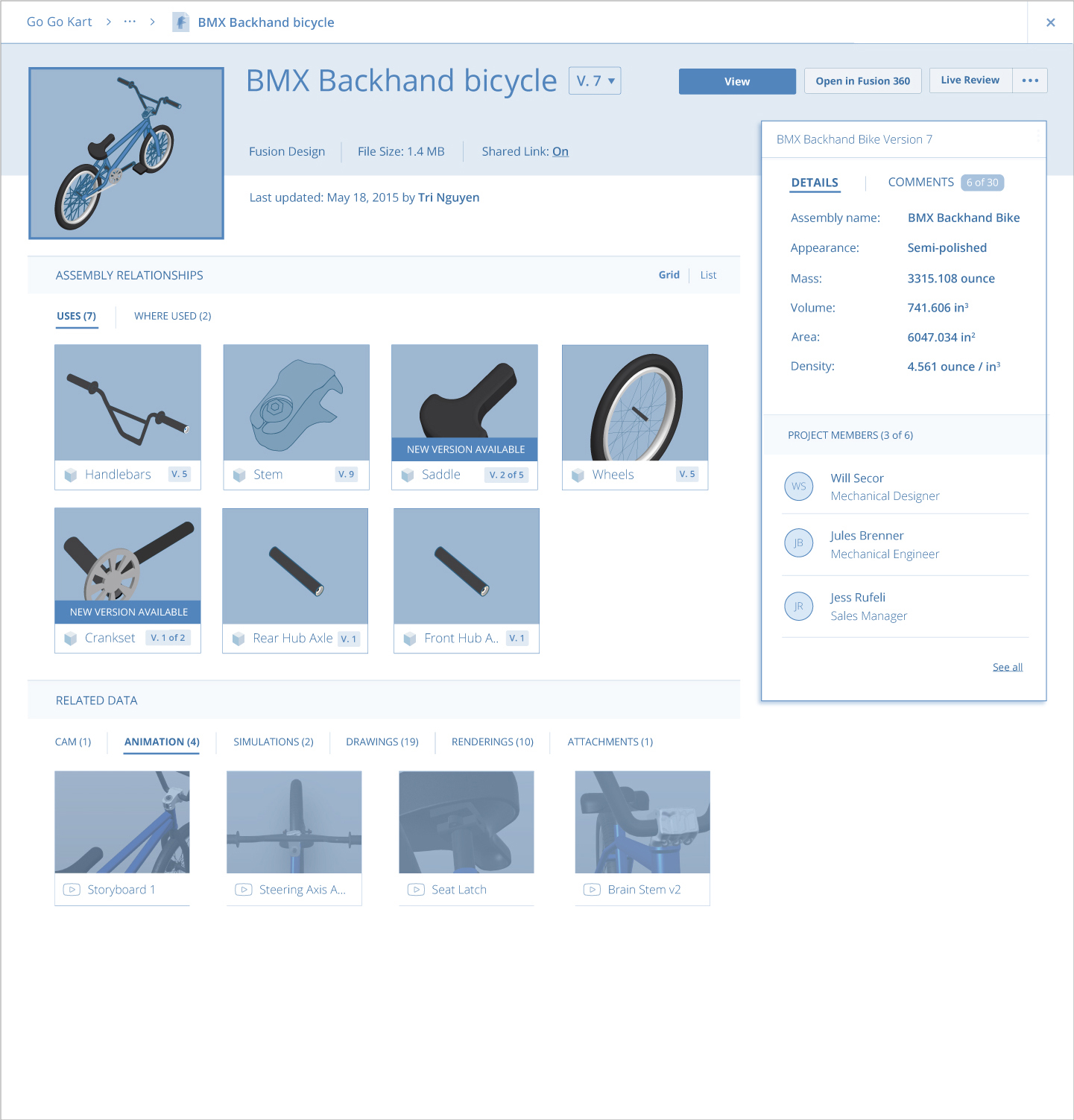
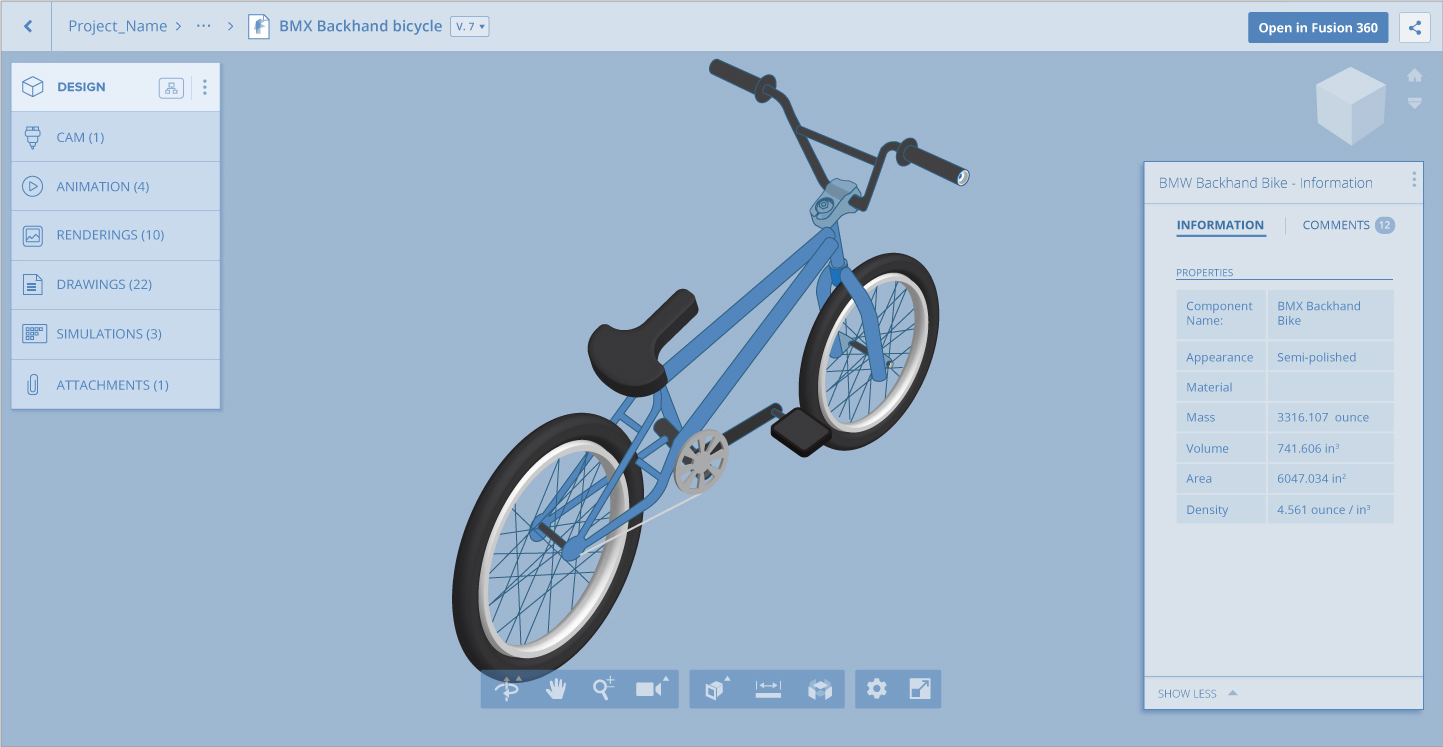
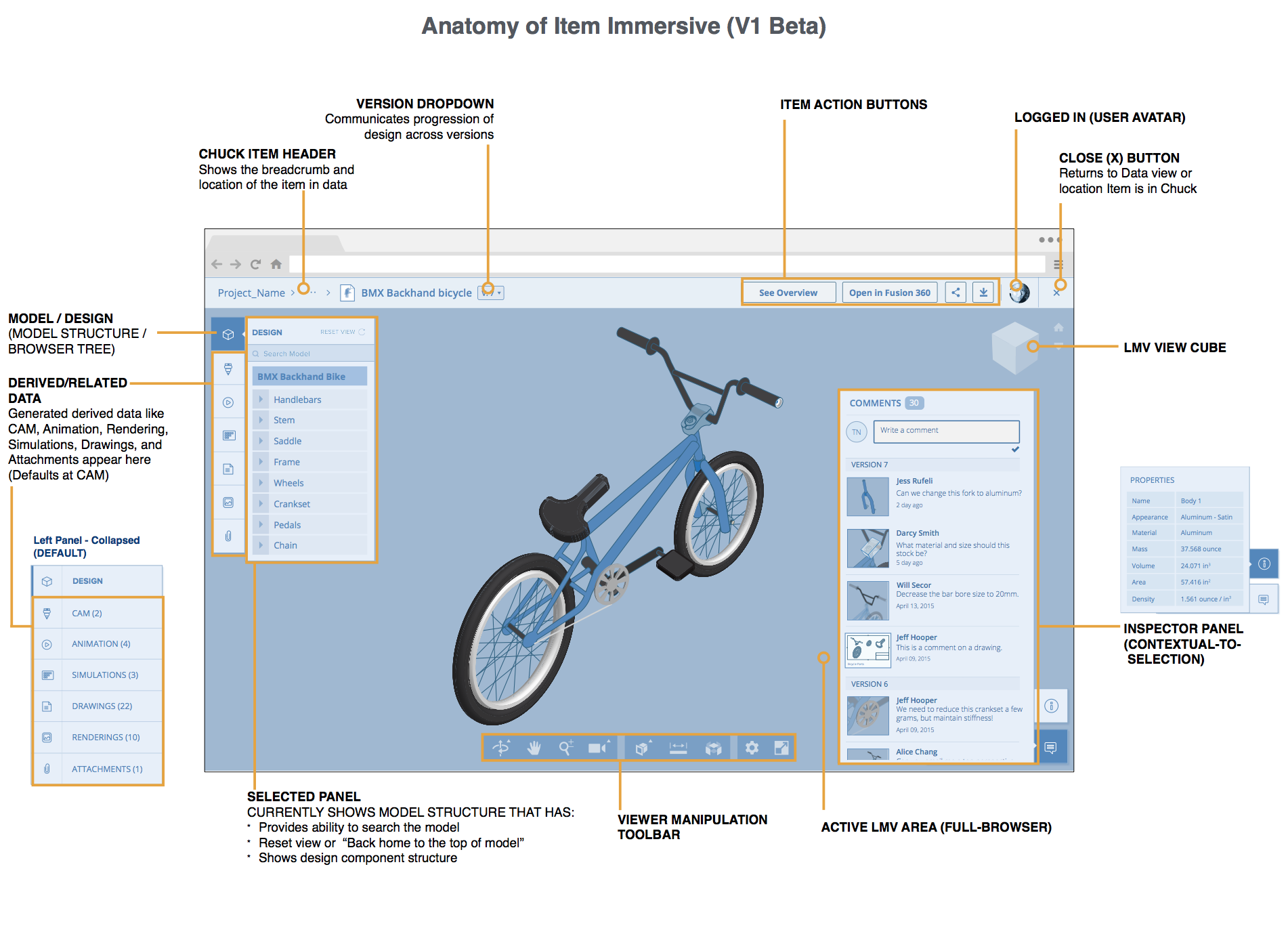
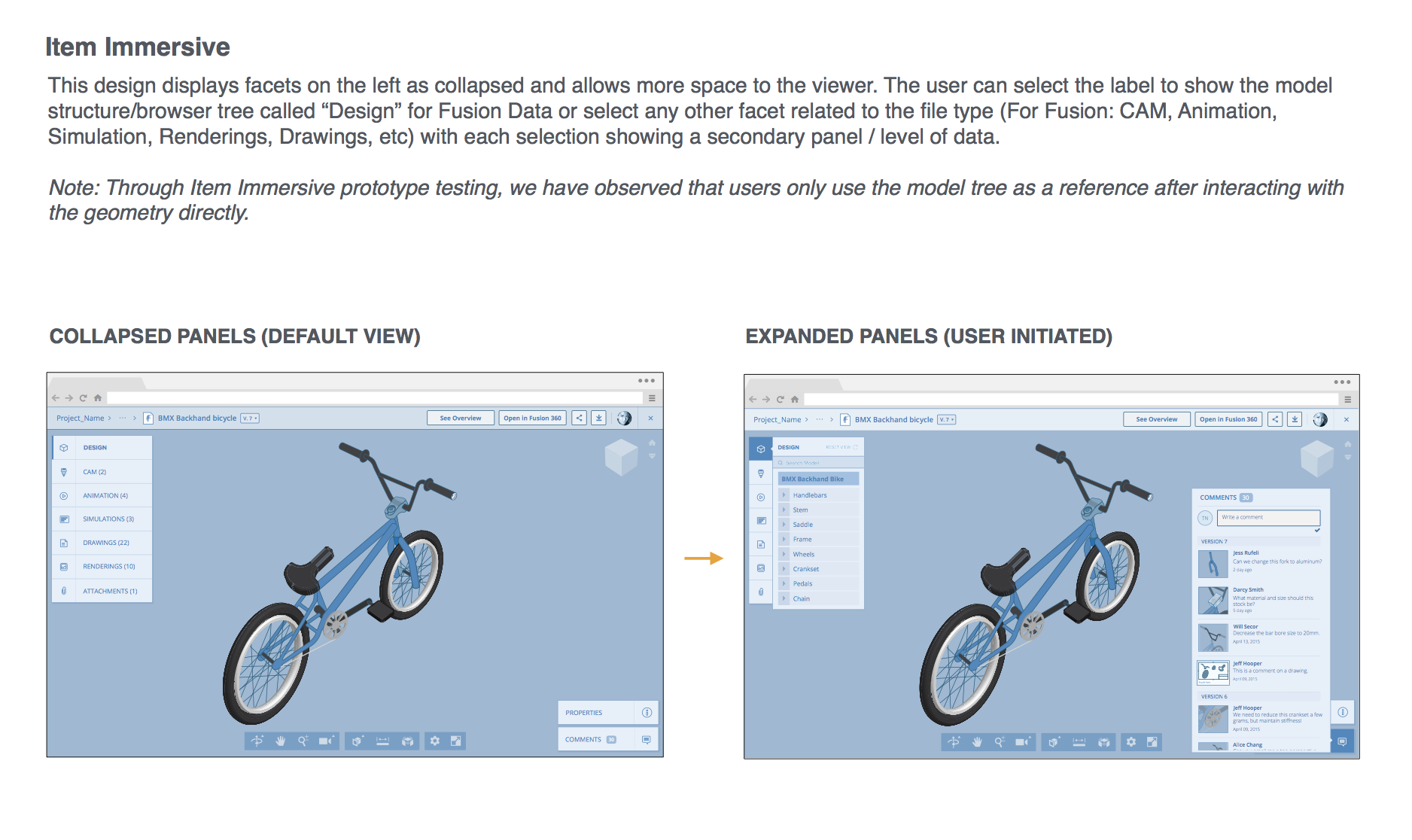
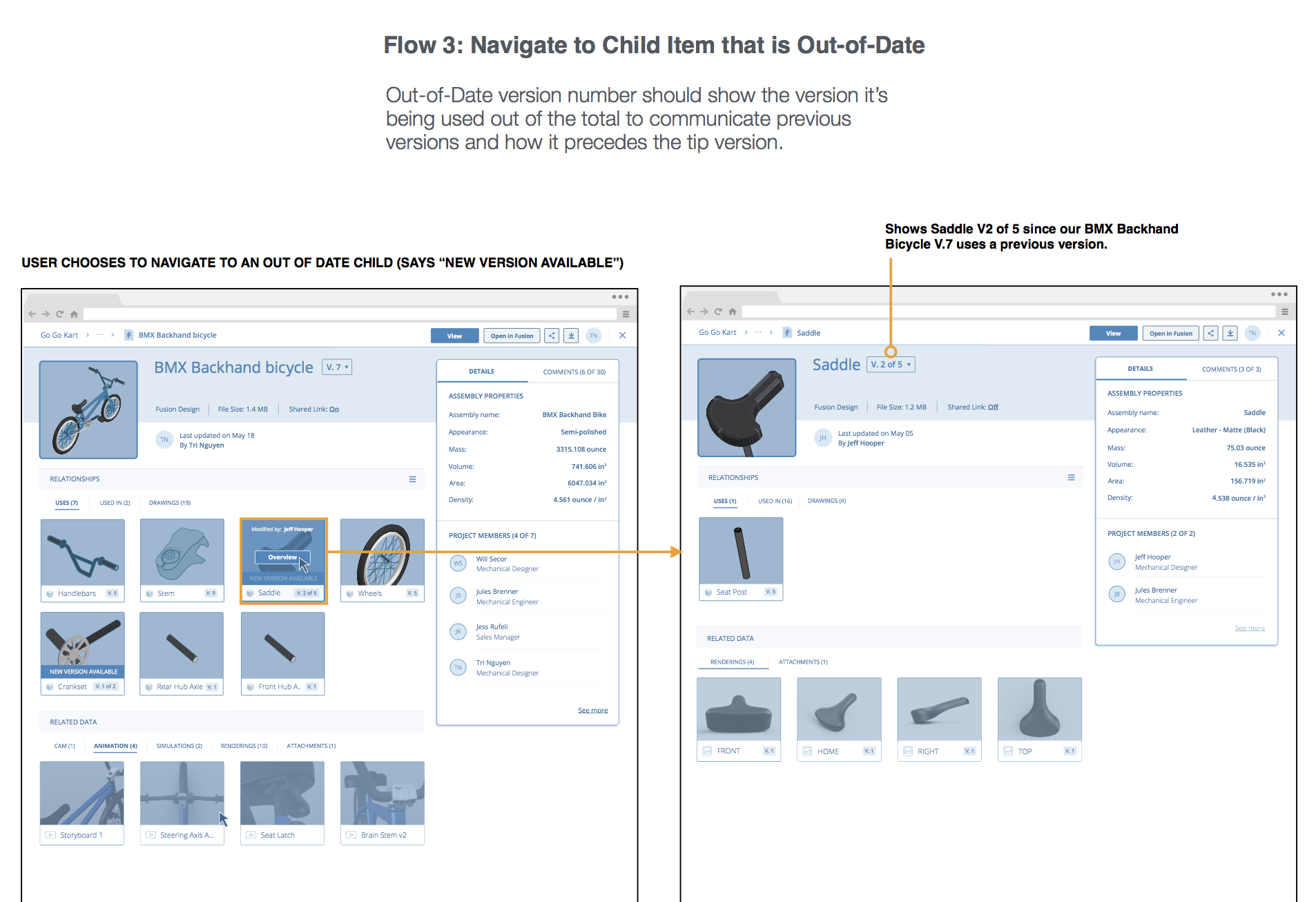
I framed two connected experiences. Item Overview summarized file contents, metadata, and conversations, serving as a flexible entry point from authoring products such as Fusion 360. Item Immersive enabled 2D/3D exploration and deeper navigation into parts of an assembly.
Make the contents understandable before viewing
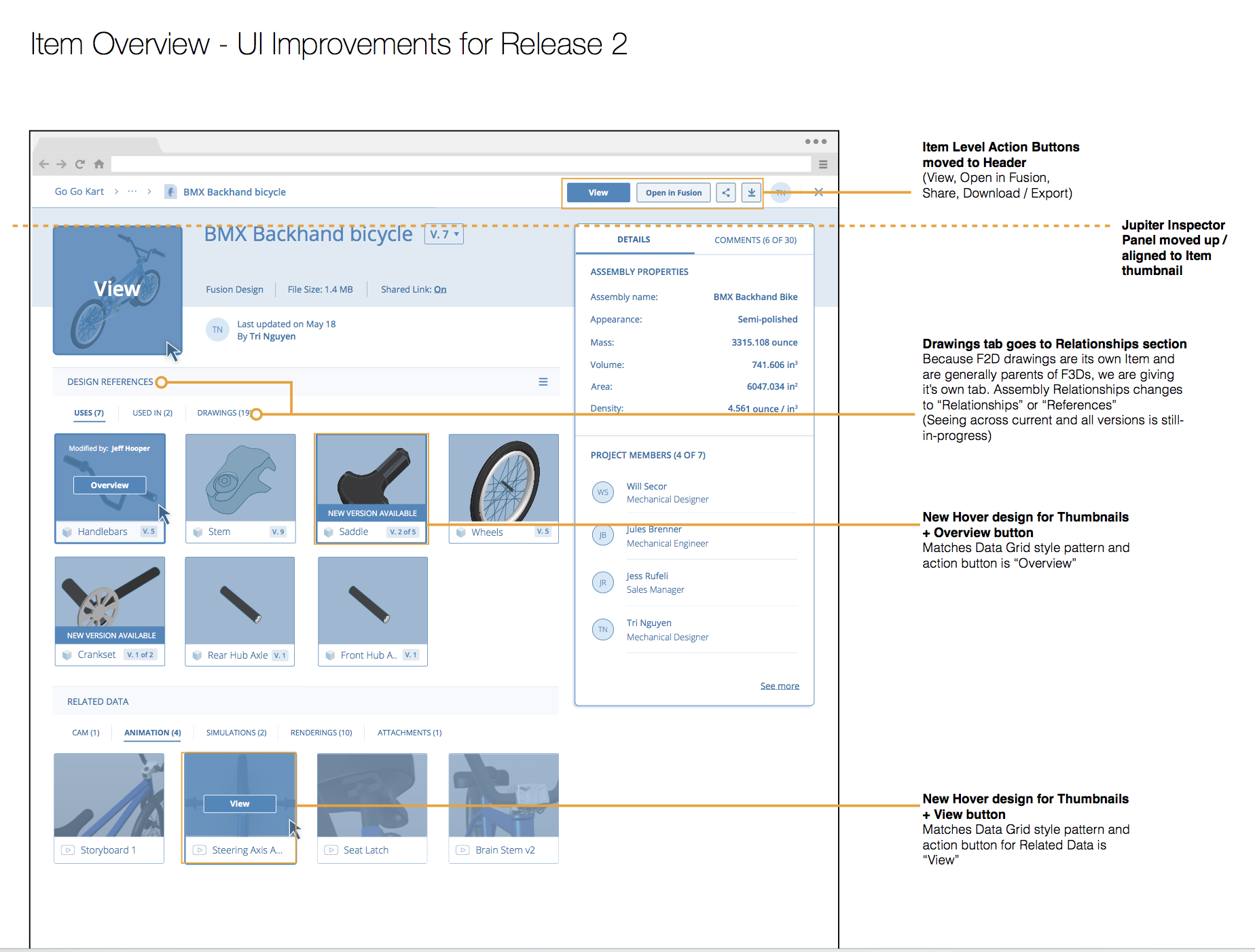
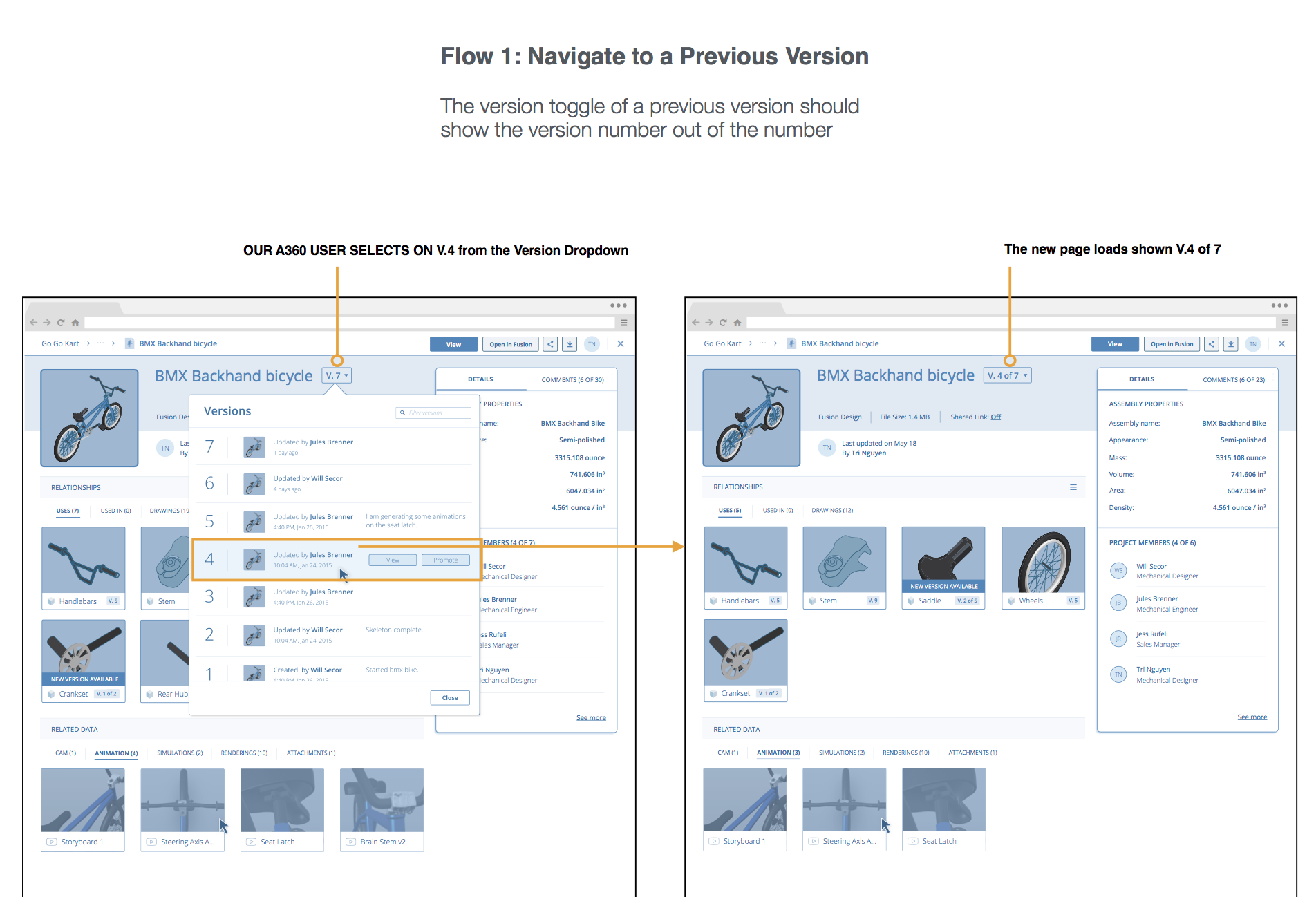
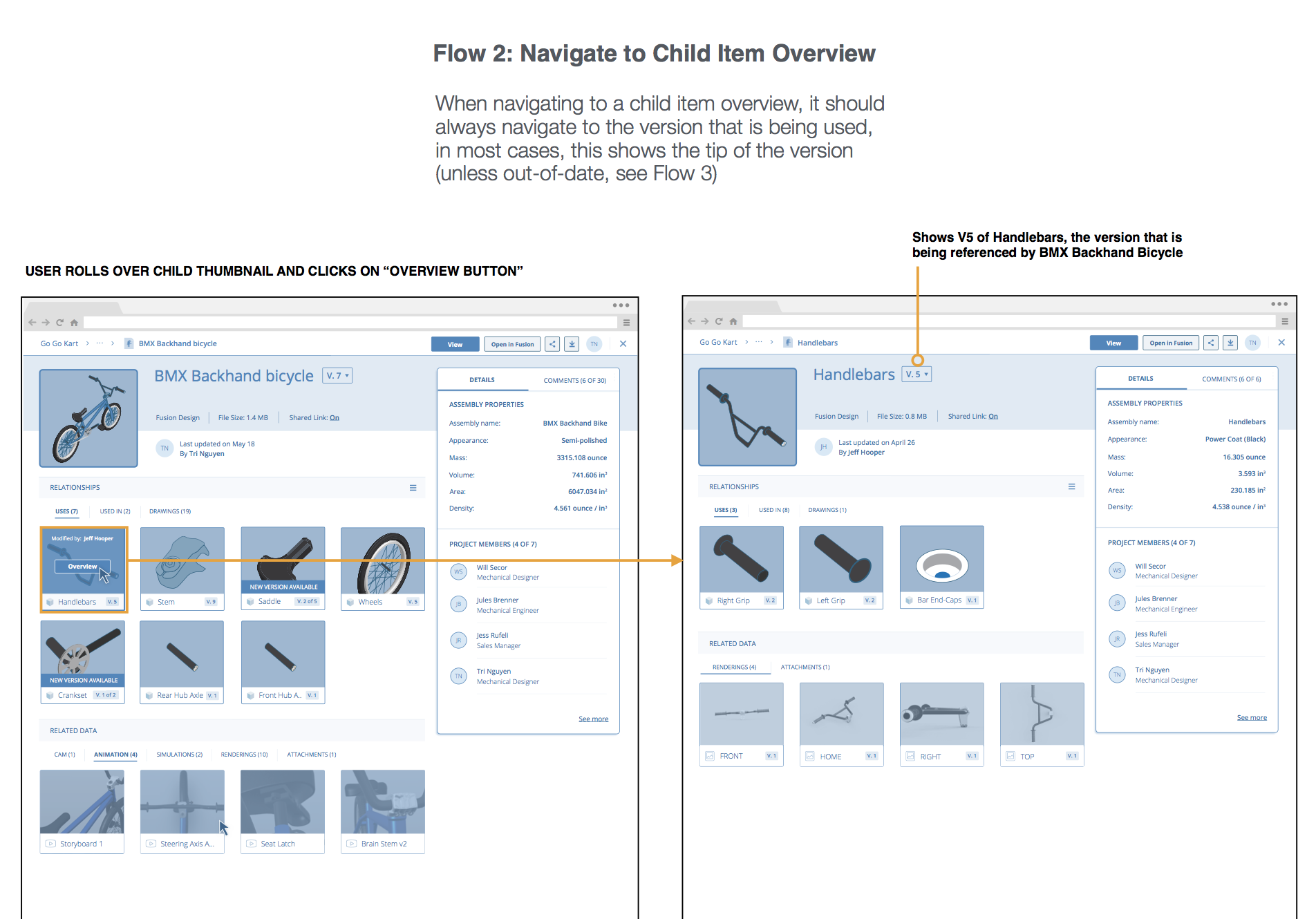
The overview emphasized metadata and surfaced collaboration in a right-hand panel. Related-file references connected the model to its wider project, while deep links supported movement into specific assembly parts.
A common entry point for different authoring products
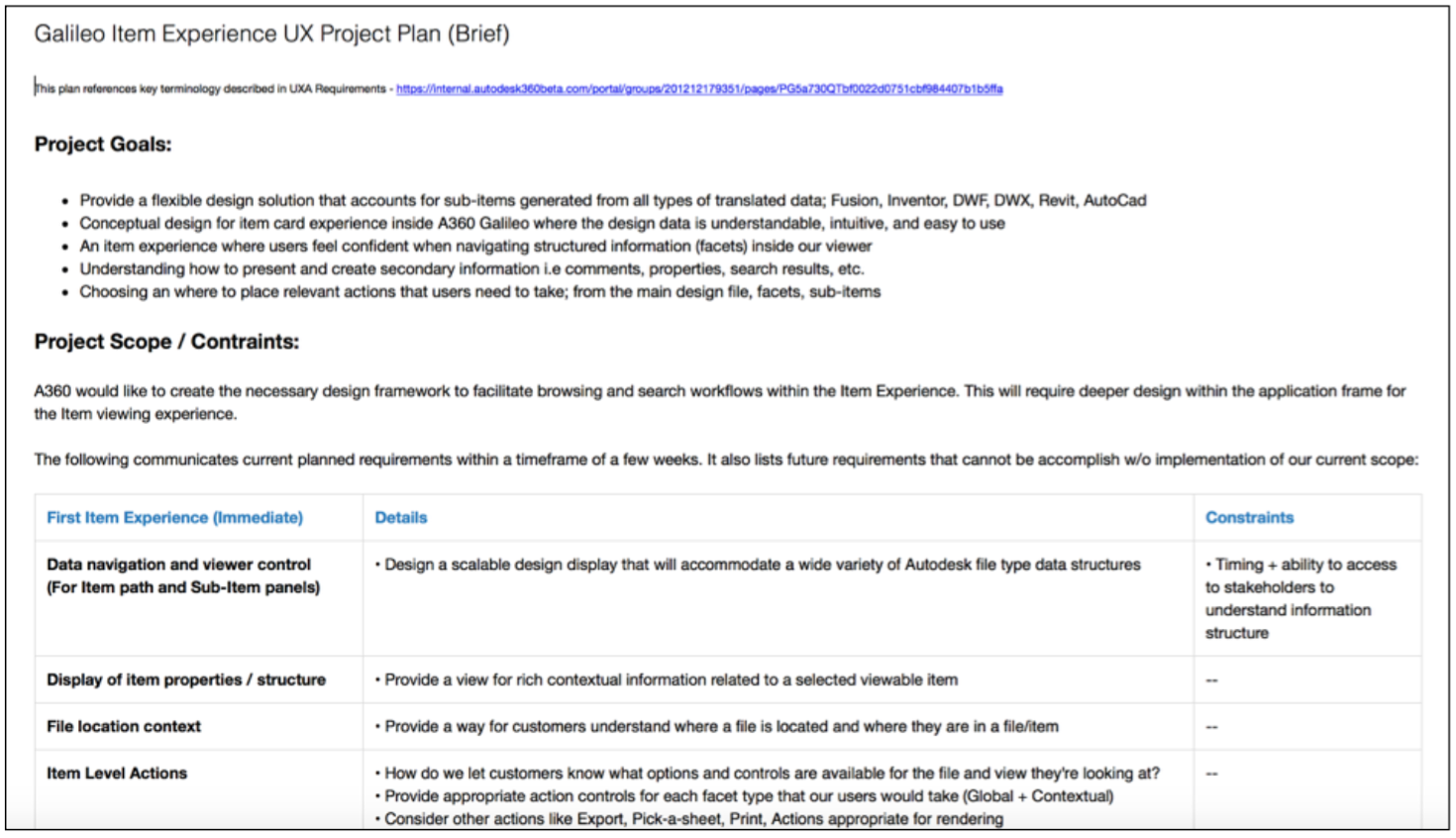
The design had to accommodate differing file structures and domain expectations across Autodesk products. I used cross-product conversations to understand those differences and a design brief to align scope, stakeholders, and deliverables.
Detailed interaction design for complex content
High-fidelity wireframes made 3D content, navigation, and information relationships concrete enough for teams to discuss.
A connected design approach to complex files
The archived case documents my interaction-design contribution and a connected model for understanding, exploring, and discussing CAD files. It does not establish measured adoption or business results.
A shared reference for product and interaction decisions
The overview-to-immersive model gave the team a concrete way to discuss file context and exploration together, rather than treating the viewer as an isolated screen.
Supporting documentation · 5 original visuals
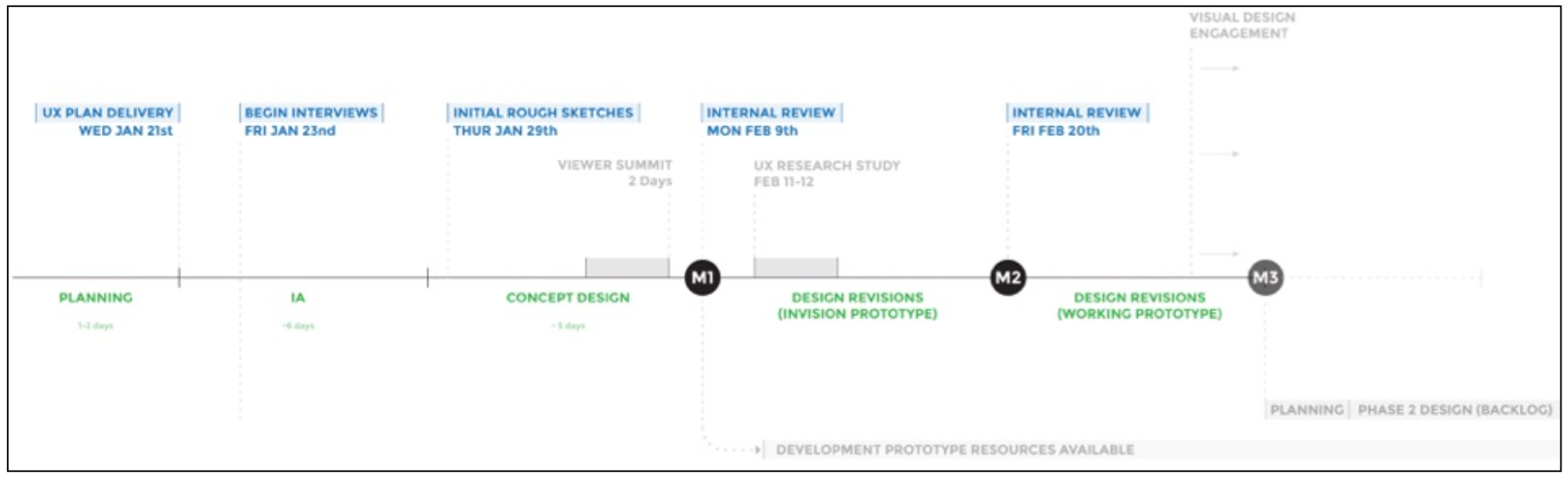
Design brief, timeline, research, and kickoff materials from the original portfolio. Internal interviews helped uncover product-specific knowledge, including architectural and mechanical-design perspectives.