Sharing is one behavior, scattered across a dozen surfaces
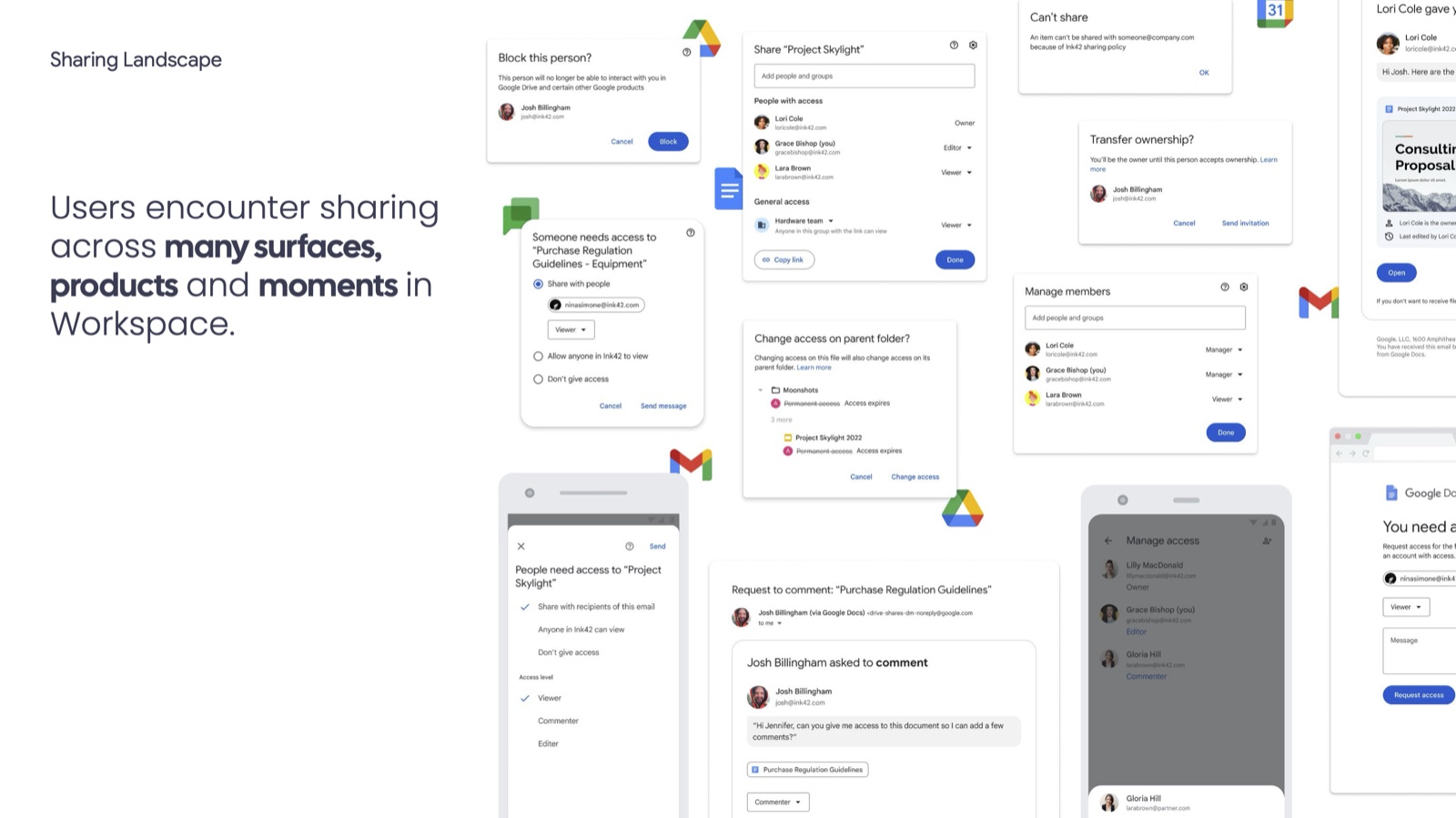
People run into sharing everywhere in Workspace: the main Share dialog, a comment that needs an outside collaborator, an ownership transfer, a folder whose permissions don't match its contents, a blocked sender, a Calendar invite that needs a linked doc. Each of those moments had been designed close to the surface it appeared on — Drive, Docs, Slides, Gmail, Calendar, mobile — without a shared model connecting them.
The result was a fragmented set of dialogs and edge cases that were individually reasonable but collectively inconsistent, and a real gap on the other side of every share: people who received access but never came back to use it.
Owning the sharing framework, not just a feature
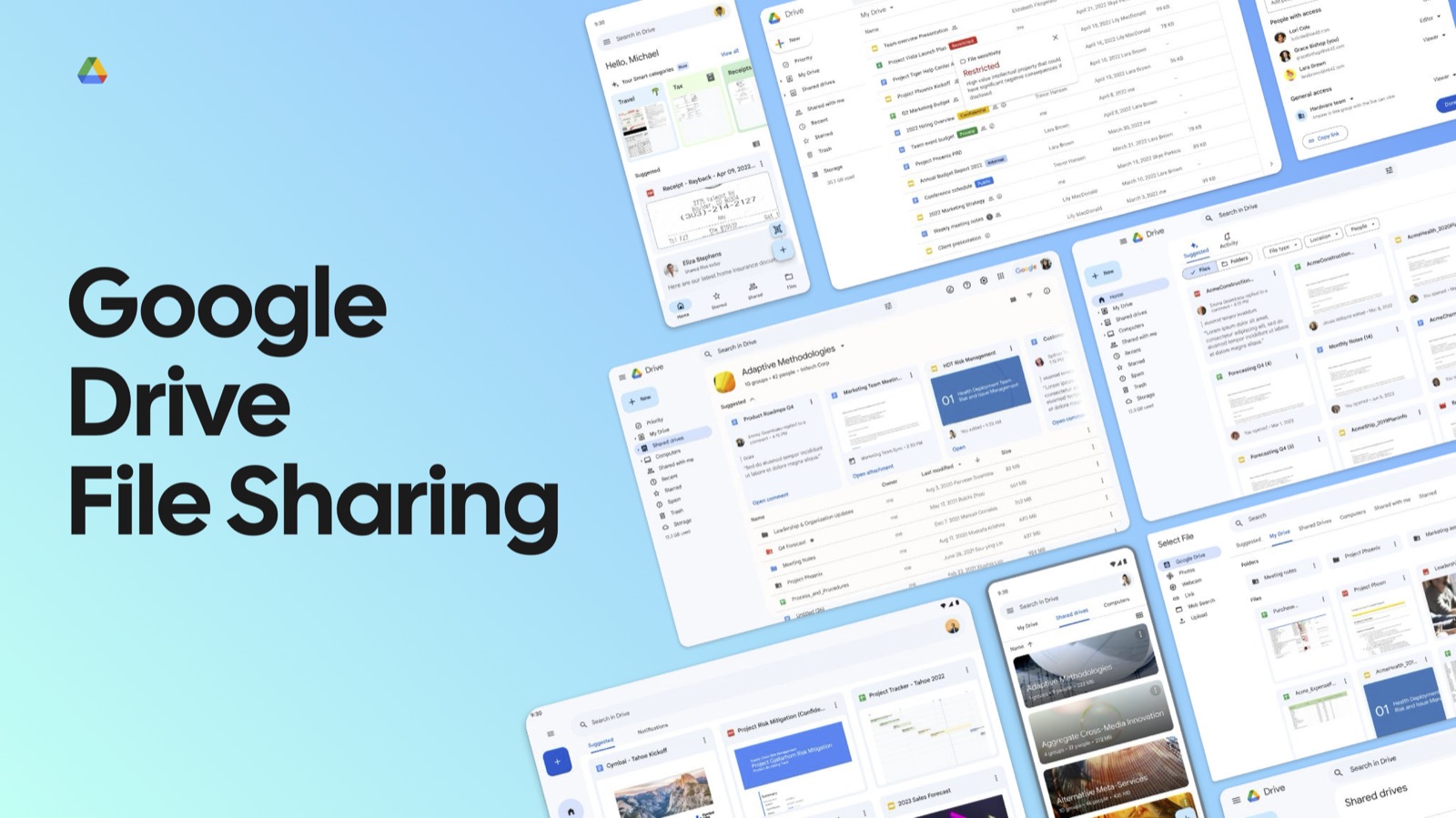
For about a year, I owned maintaining, improving, and expanding the sharing UI flows and the sharing framework underneath them — spanning the core dialog, the permission-request paths, and the re-engagement system that follows a share after it's sent.
Two flagship flows, one lifecycle
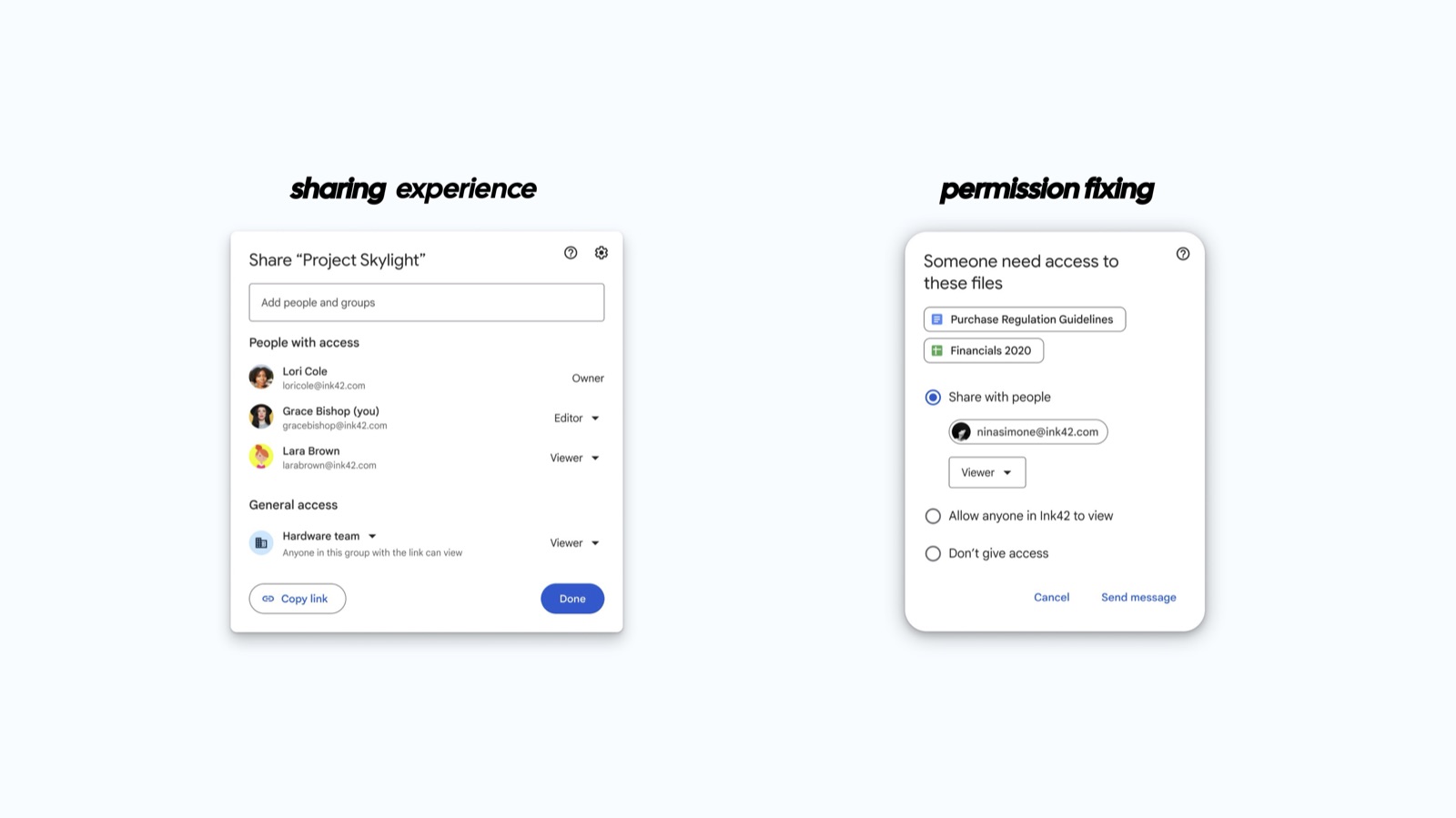
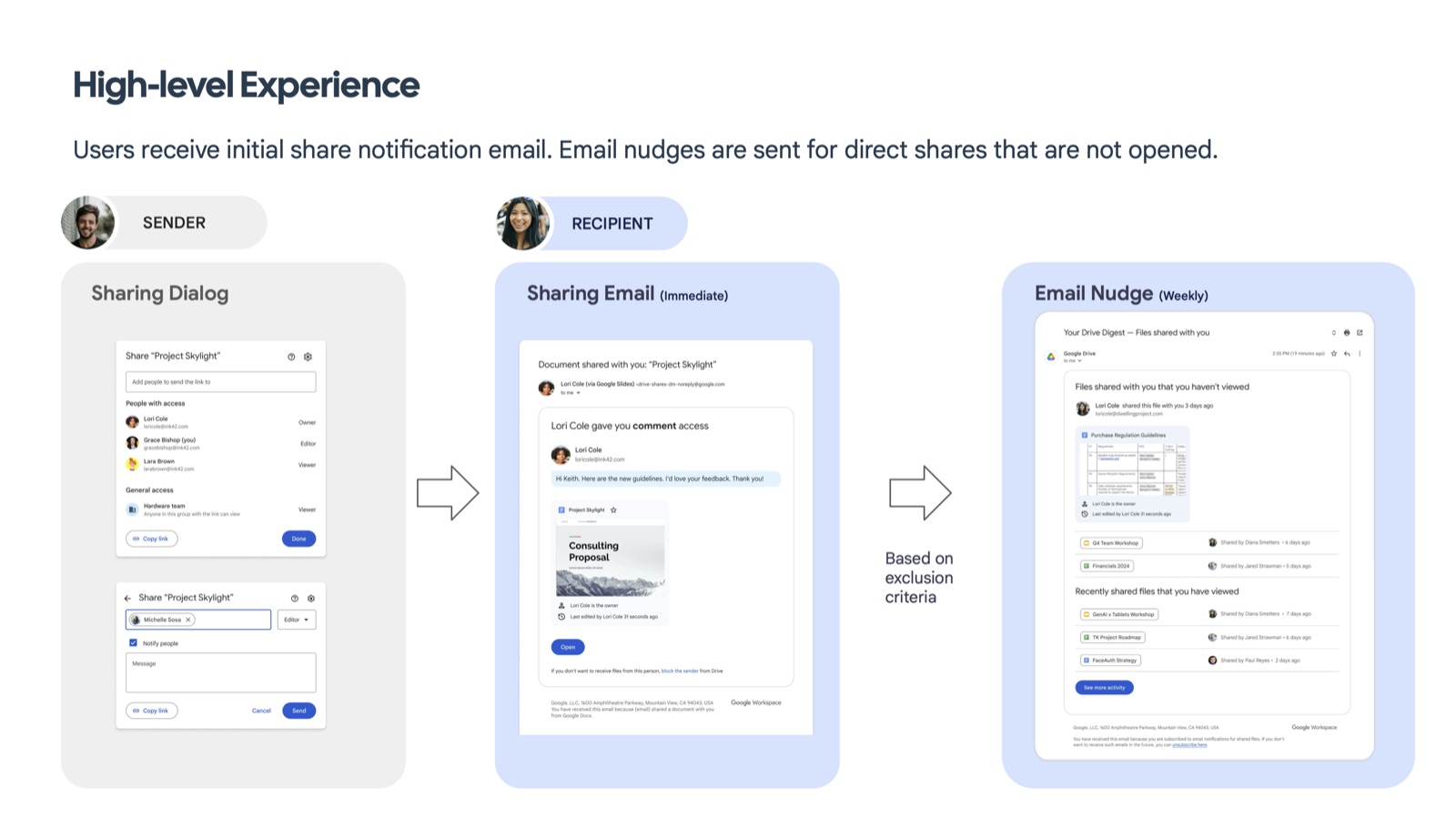
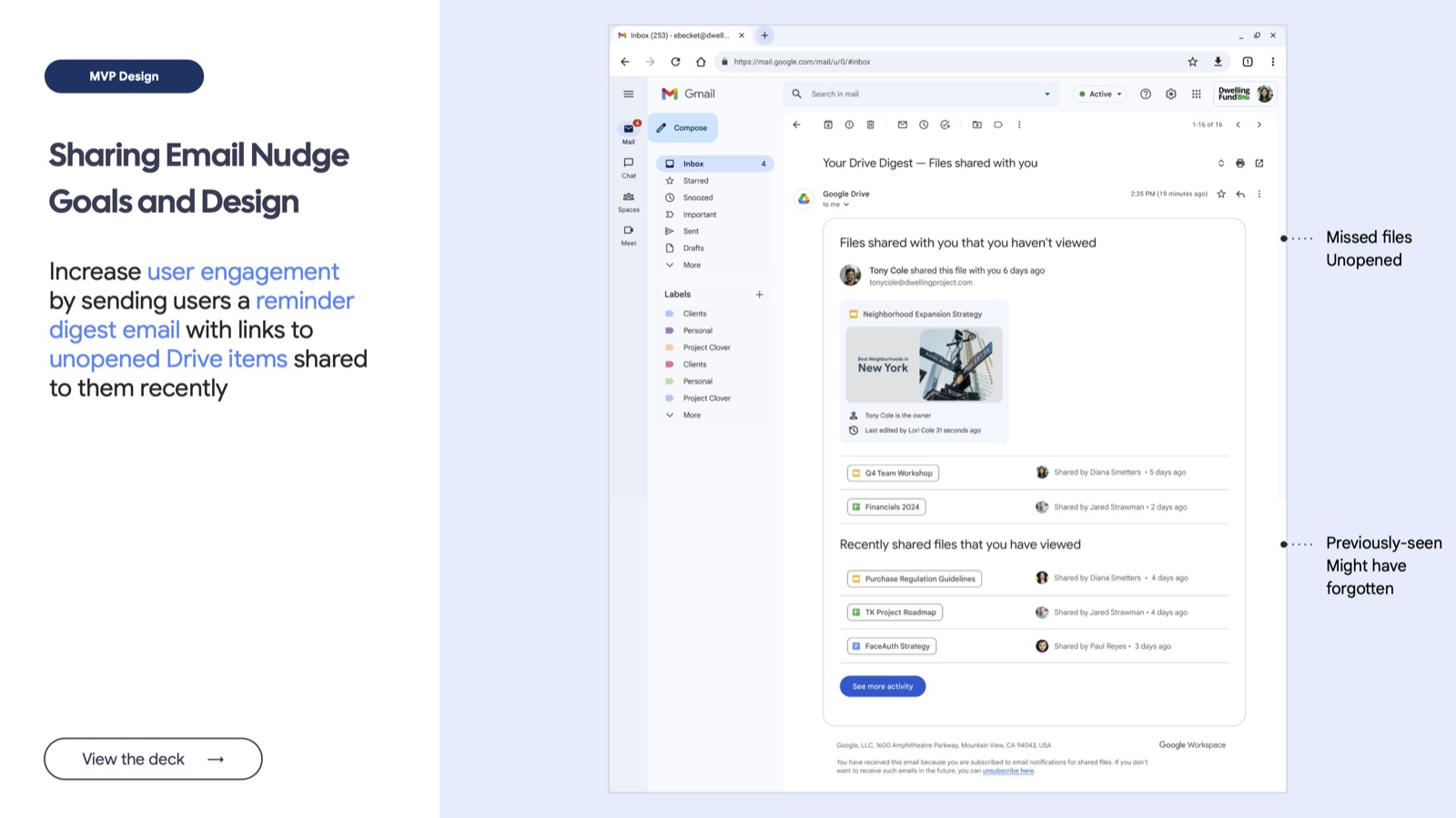
I framed the whole system around two core flows — the sharing experience (an owner grants access, choosing between specific people and general access) and permission fixing (a collaborator hits a wall and requests access) — connected by a single sender-to-recipient lifecycle: a sharing dialog, an immediate notification email, and a weekly nudge for anything that goes unopened.
The choices that changed the experience
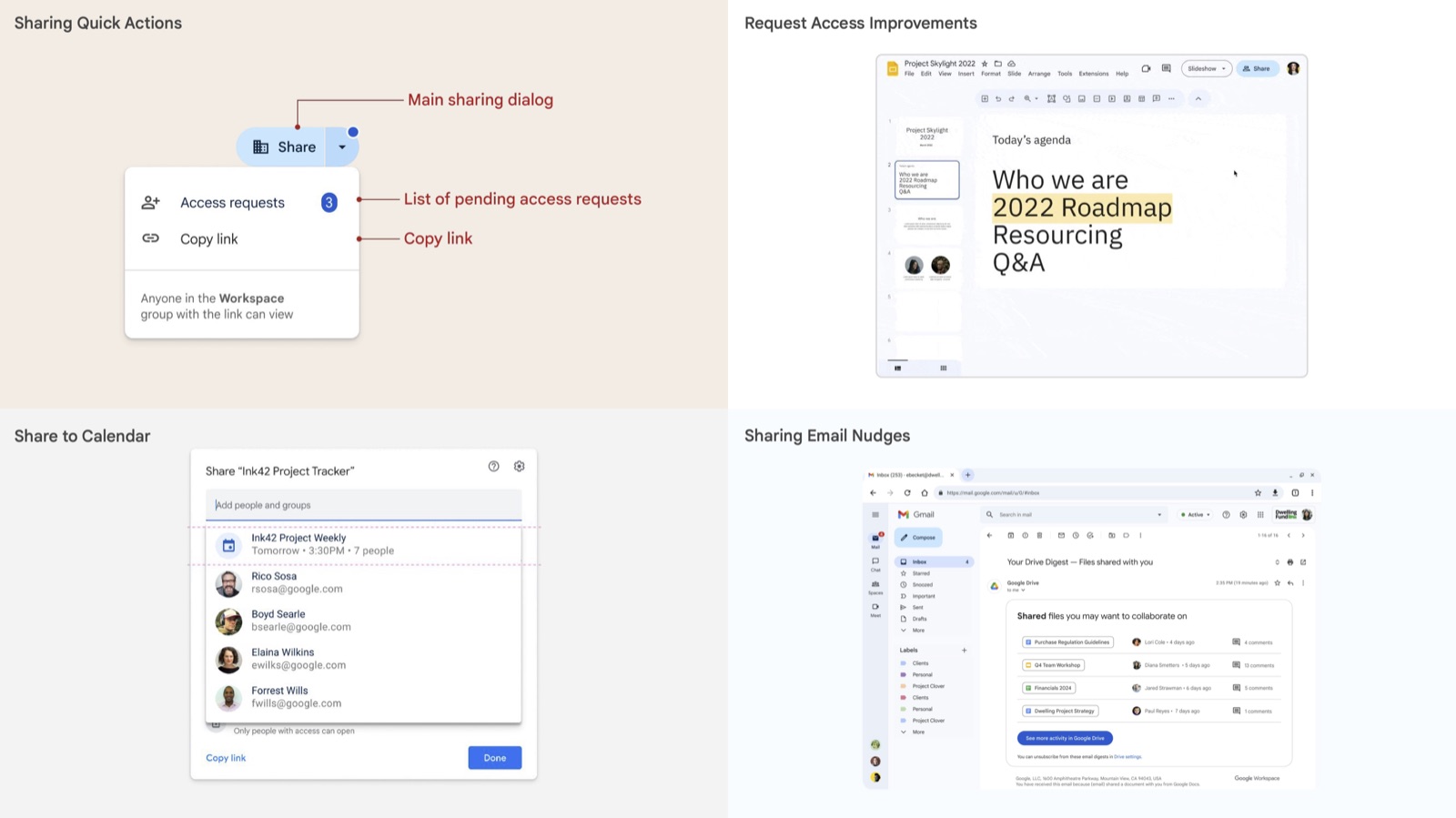
- Quick actions without opening the full dialog. Access-request counts and copy-link moved into the Share button's own dropdown, so the common cases don't need the heavyweight dialog.
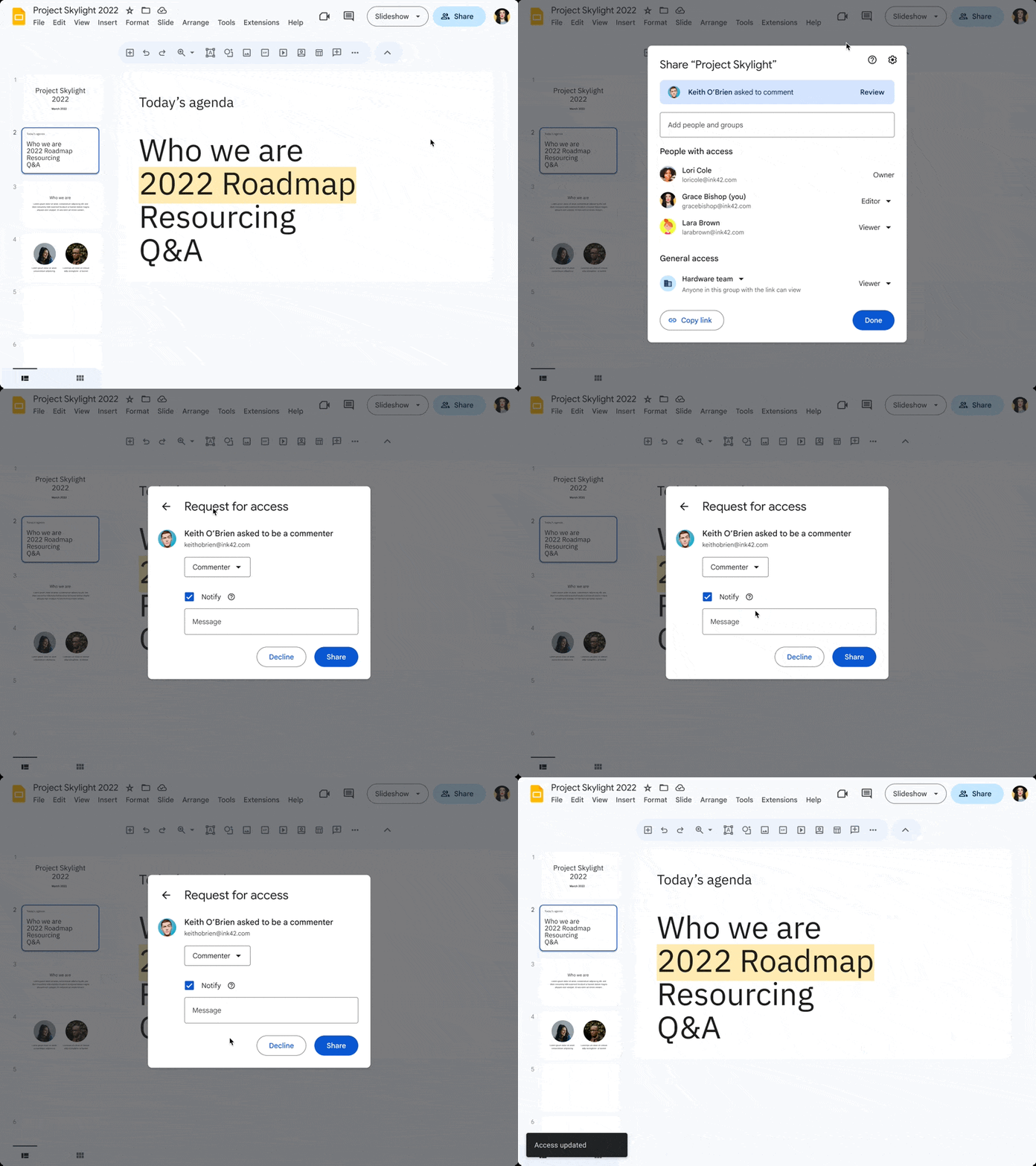
- In-context requests inside the document itself. A viewer who needs more access can ask from inside Slides, not by hunting for a separate flow.
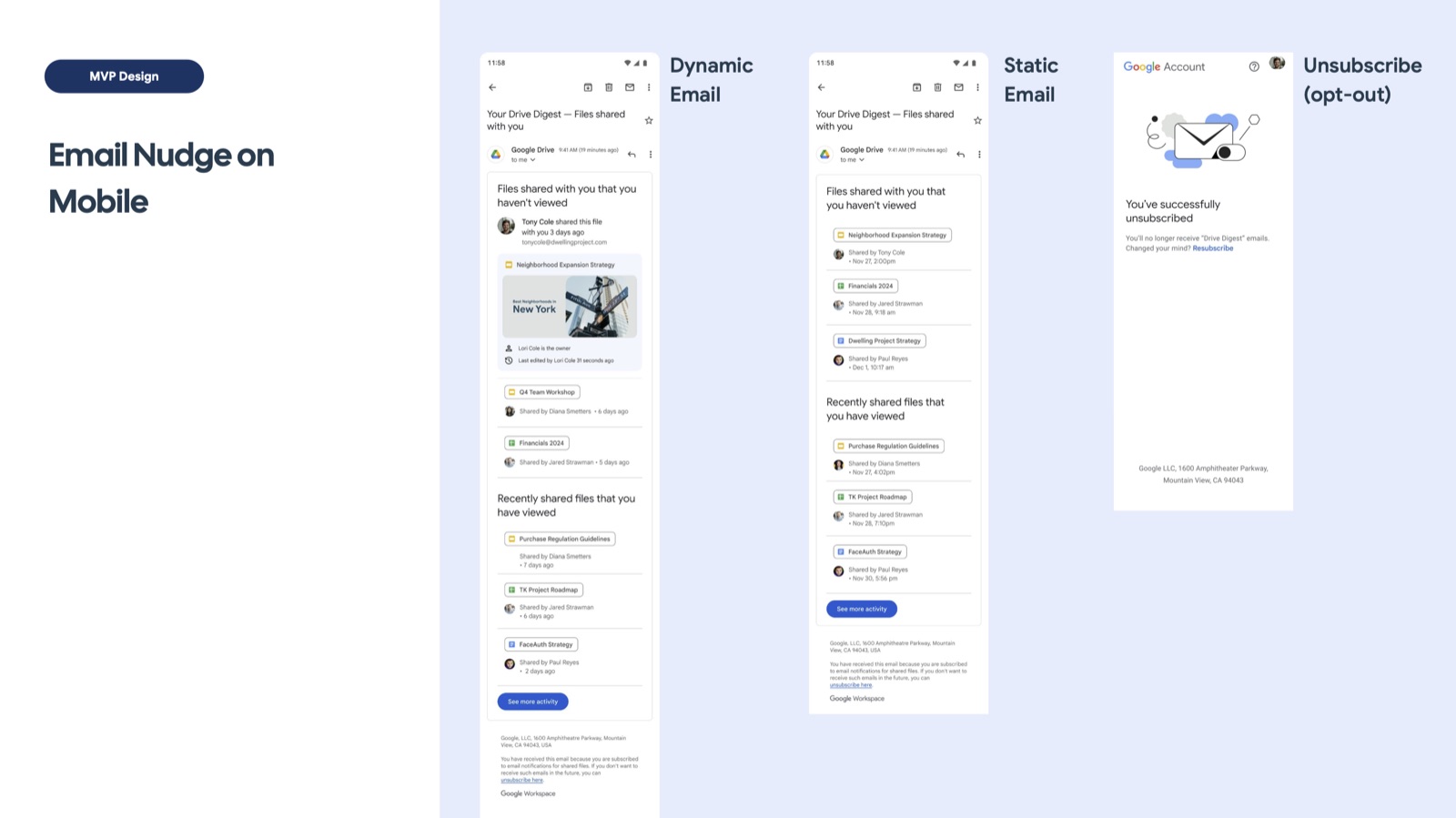
- Design the whole nudge lifecycle, including opting out. The weekly re-engagement email got a dynamic and a static fallback treatment on mobile, plus a genuine, working unsubscribe path — not just the version that looks good in a deck.
The same model, extended into Calendar and AI summarization
Because the sharing model wasn't tied to any one surface, it extended cleanly into Calendar invites and mobile "manage access" screens without new design from scratch. More recently, directional work I contributed extends the same weekly digest with AI: summarizing comment threads and writing natural-language highlights ("Katie is asking you to link your PRD...") — explicitly framed as a future direction, tying the sharing re-engagement system forward into Workspace's GenAI investment.
Designing for the edge cases, not just the demo
I designed roughly a dozen distinct dialog states that rarely make it into a portfolio — blocking a person, transferring ownership, changing access that cascades to a parent folder, a share blocked by domain policy — because a sharing system is judged by how it behaves at its edges, not its happy path.
A shipped system that extended beyond the Share dialog
The work delivered an MVP sharing-nudge system that followed the experience beyond granting access: helping recipients rediscover shared files through a weekly email digest. The design covered mobile delivery, a static fallback, and an unsubscribe path.
Maintaining and extending the sharing framework connected core sharing flows with permission requests and follow-up experiences across Workspace. Subsequent directional work explored AI-generated comment summaries within the digest, building on that same lifecycle model.
These are delivery and system-level outcomes. I don't have verified adoption or re-engagement metrics to report.
Sharing became infrastructure other surfaces could build on
Any Workspace surface that needs to share something — a new Calendar feature, a future Gmail integration — now has a sharing and re-engagement model to plug into, instead of inventing its own dialog and its own follow-up logic. That's the difference between a feature and a platform.